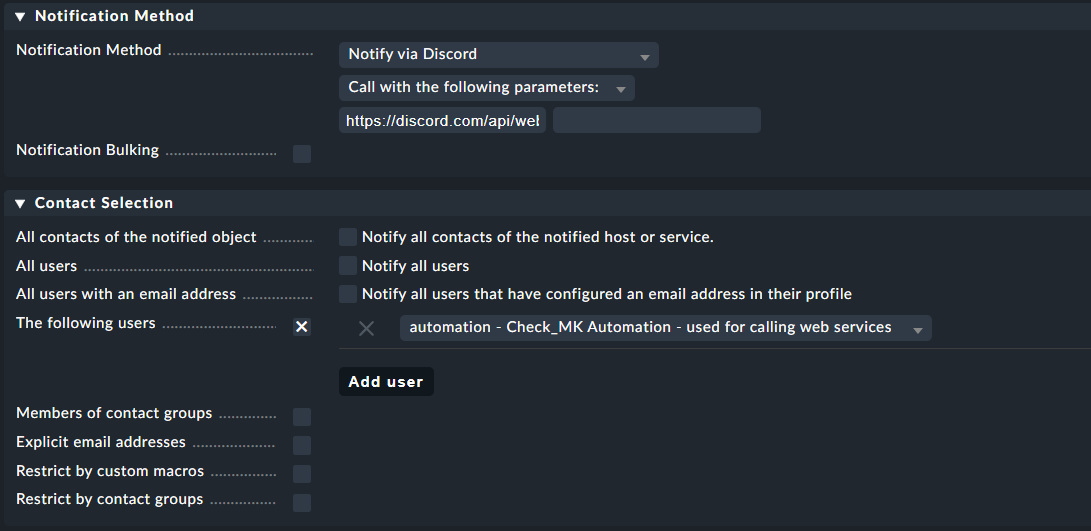
I have added it to /opt/omd/sites/ad/local/share/check_mk/notifications/ and set it up in WATO against the automation user for sending out notifications
However when I tested it I got the following error in my notify.log:
2022-01-24 02:00:59,353 [20] [cmk.base.notify] ----------------------------------------------------------------------
2022-01-24 02:00:59,353 [20] [cmk.base.notify] Got raw notification (UNKNOWN) context with 0 variables
2022-01-24 02:00:59,353 [20] [cmk.base.events] Error on completing raw context: 'HOSTNAME'
2022-01-24 02:00:59,354 [40] [cmk.base.notify] ERROR:
Traceback (most recent call last):
  File "/omd/sites/ad/lib/python3/cmk/base/notify.py", line 355, in locally_deliver_raw_context
    return notify_rulebased(raw_context, analyse=analyse)
  File "/omd/sites/ad/lib/python3/cmk/base/notify.py", line 474, in notify_rulebased
    why_not = rbn_match_rule(rule, raw_context)
  File "/omd/sites/ad/lib/python3/cmk/base/notify.py", line 804, in rbn_match_rule
    return events.apply_matchers([
  File "/omd/sites/ad/lib/python3/cmk/base/events.py", line 414, in apply_matchers
    result = matcher(rule, context)
  File "/omd/sites/ad/lib/python3/cmk/base/events.py", line 421, in event_match_rule
    return apply_matchers([
  File "/omd/sites/ad/lib/python3/cmk/base/events.py", line 414, in apply_matchers
    result = matcher(rule, context)
  File "/omd/sites/ad/lib/python3/cmk/base/events.py", line 675, in event_match_exclude_hosts
    if context["HOSTNAME"] in rule.get("match_exclude_hosts", []):
KeyError: 'HOSTNAME'
I am using 2.0.0p18.cre (default) on Ubuntu 20.04
As much as I know about check_mk my python knowledge is quite basic.
As this is no error from the script itself i would say that there is a wrong configured notification rule the reason.
Is it possible that you defined a exclude host and this field is empty?
welcome to the community and thanks for using my discord script.
Because I’ve got a mail notification from github with your initial comment I think there is a misunderstanding on how to setup this notification script.
Hey Guys,
I am looking at setting this up for my homelab use, however I am new to python and advanced check_mk changes I know I need to edit /opt/omd/versions/2.0.0p18.cre/lib/python3/cmk/gui/plugins/wato/notifications.py for this to work and show on Wato, but I am not sure on how to do it.
Would someone be able to advise or even provide example configuration files
Thanks
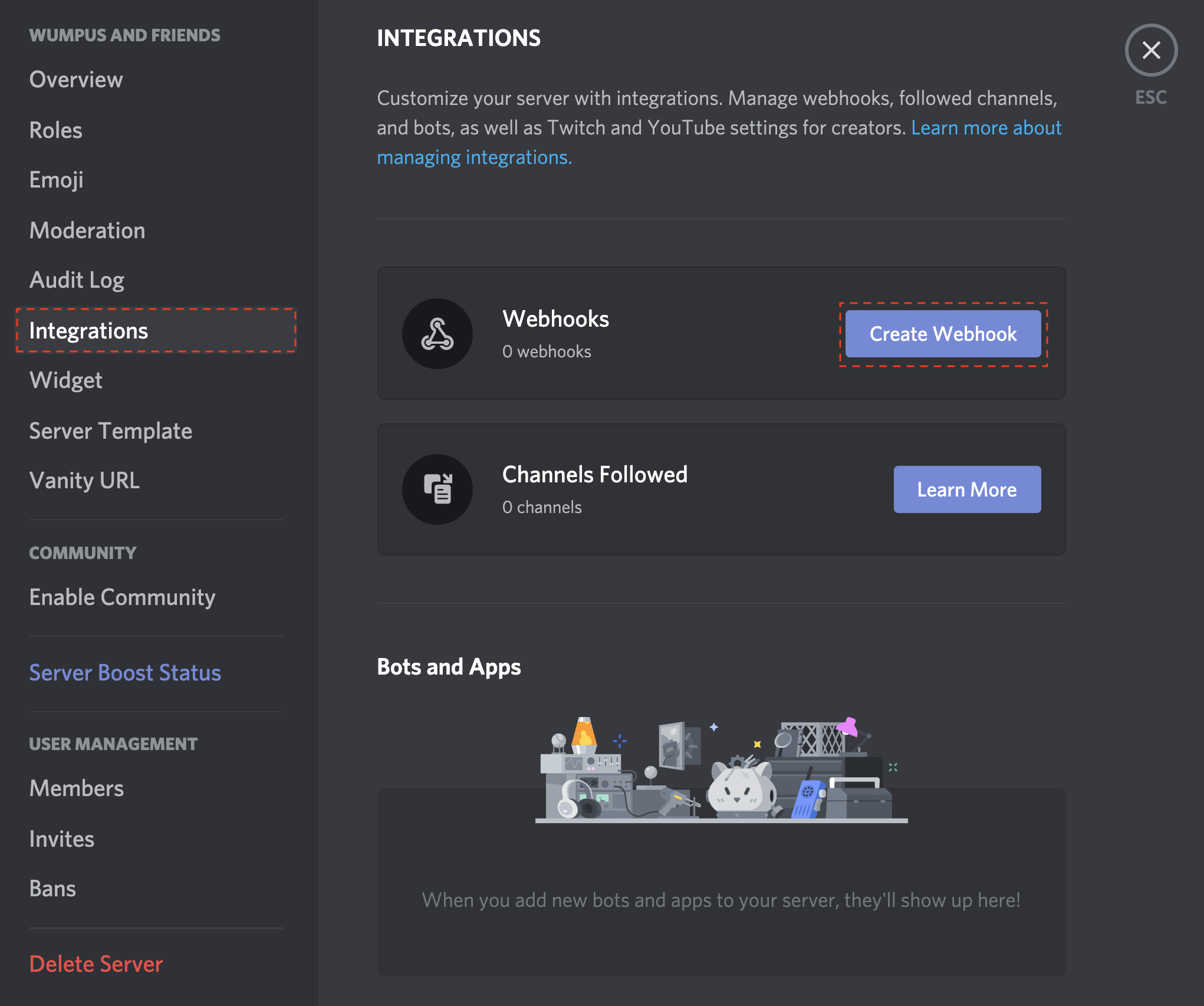
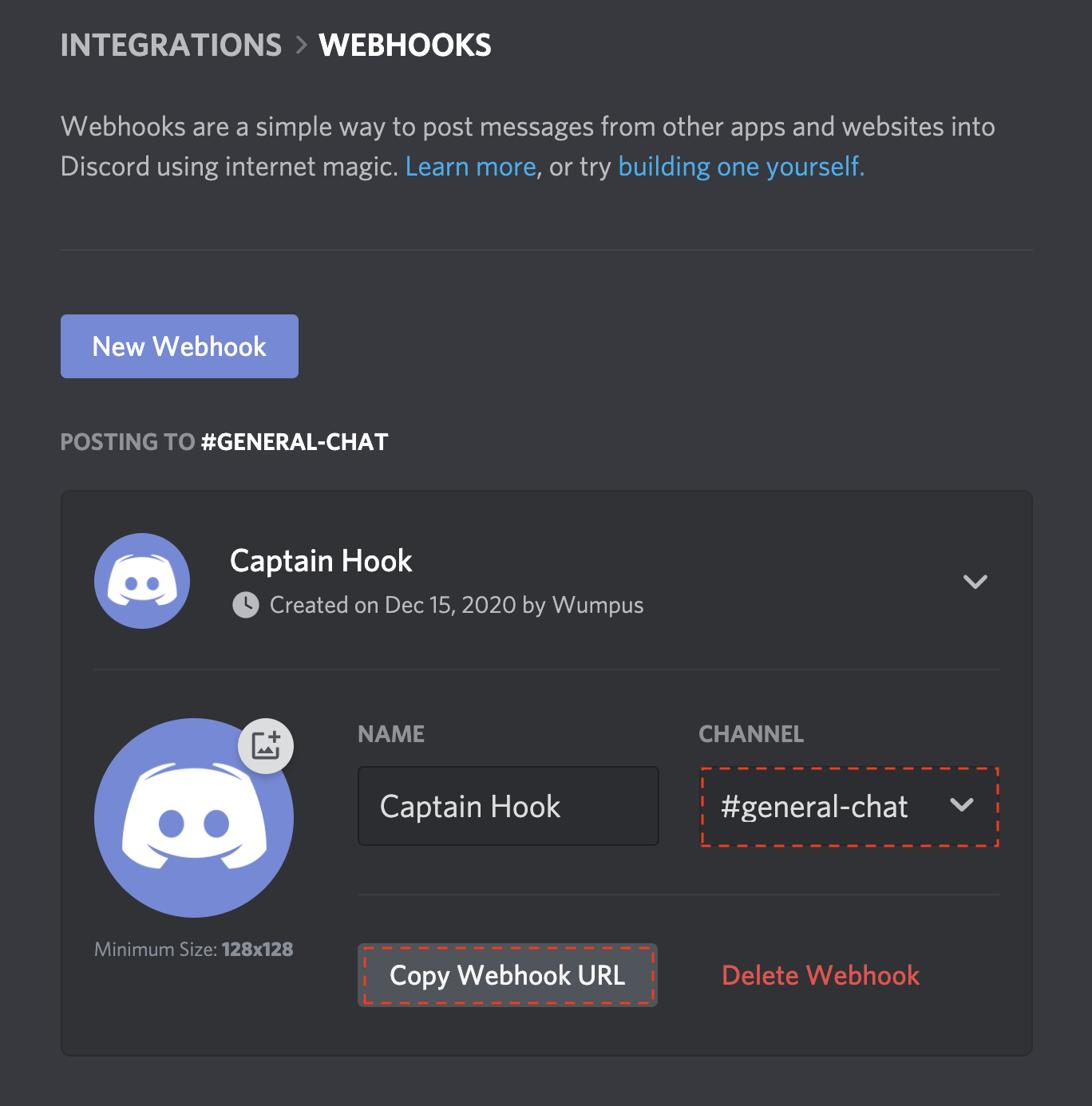
Here is a step by step guide on how to setup the discord notification script for Checkmk:
Login via SSH to your Checkmk Server
Become the Site User [sudo su - SITENAME]
Go to local/share/check_mk/notifications/ [ OMD[SITENAME]:~$ cd local/share/check_mk/notifications/]
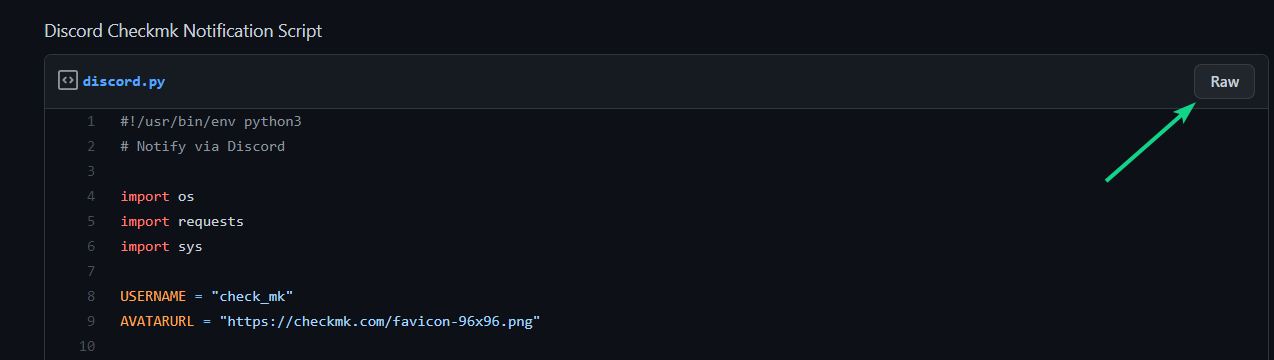
Go back to your Checkmk site terminal (SSH) and write wget and insert the copied URL.
[wget https://gist.githubusercontent.com/n00rm/32f1334b1dd2efc40122fee36551ef17/raw/4feee30fa2b183bef6fc619e897f541ec23befa8/discord.py]
Do a chmod +x on the downloaded file to make it executable by Checkmk. [chmod +x discord.py]
This topic was automatically closed 365 days after the last reply. New replies are no longer allowed. Contact an admin if you think this should be re-opened.