Hi @livi6191
welcome to the community and thanks for using my discord script. 
Because I’ve got a mail notification from github with your initial comment I think there is a misunderstanding on how to setup this notification script.
Hey Guys,
I am looking at setting this up for my homelab use, however I am new to python and advanced check_mk changes I know I need to edit /opt/omd/versions/2.0.0p18.cre/lib/python3/cmk/gui/plugins/wato/notifications.py for this to work and show on Wato, but I am not sure on how to do it.
Would someone be able to advise or even provide example configuration files
Thanks
Here is a step by step guide on how to setup the discord notification script for Checkmk:
-
Login via SSH to your Checkmk Server
-
Become the Site User [
sudo su - SITENAME] -
Go to local/share/check_mk/notifications/ [
OMD[SITENAME]:~$ cd local/share/check_mk/notifications/] -
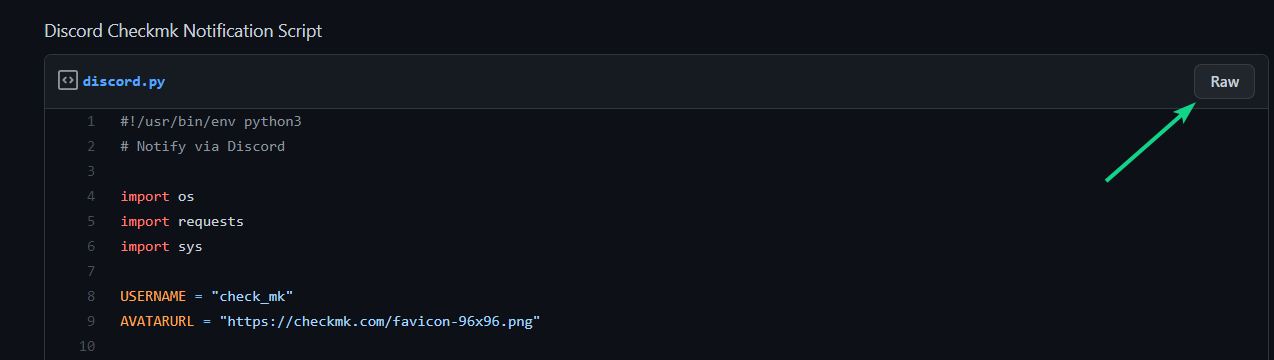
Click on the RAW Button [It’s possible to skip this step and use the URL from Step 6.]
-
Copy the URL from your Browser [https://gist.githubusercontent.com/n00rm/32f1334b1dd2efc40122fee36551ef17/raw/4feee30fa2b183bef6fc619e897f541ec23befa8/discord.py]
-
Go back to your Checkmk site terminal (SSH) and write wget and insert the copied URL.
[wget https://gist.githubusercontent.com/n00rm/32f1334b1dd2efc40122fee36551ef17/raw/4feee30fa2b183bef6fc619e897f541ec23befa8/discord.py] -
Do a
chmod +xon the downloaded file to make it executable by Checkmk. [chmod +x discord.py] -
Create Discord Webhook:
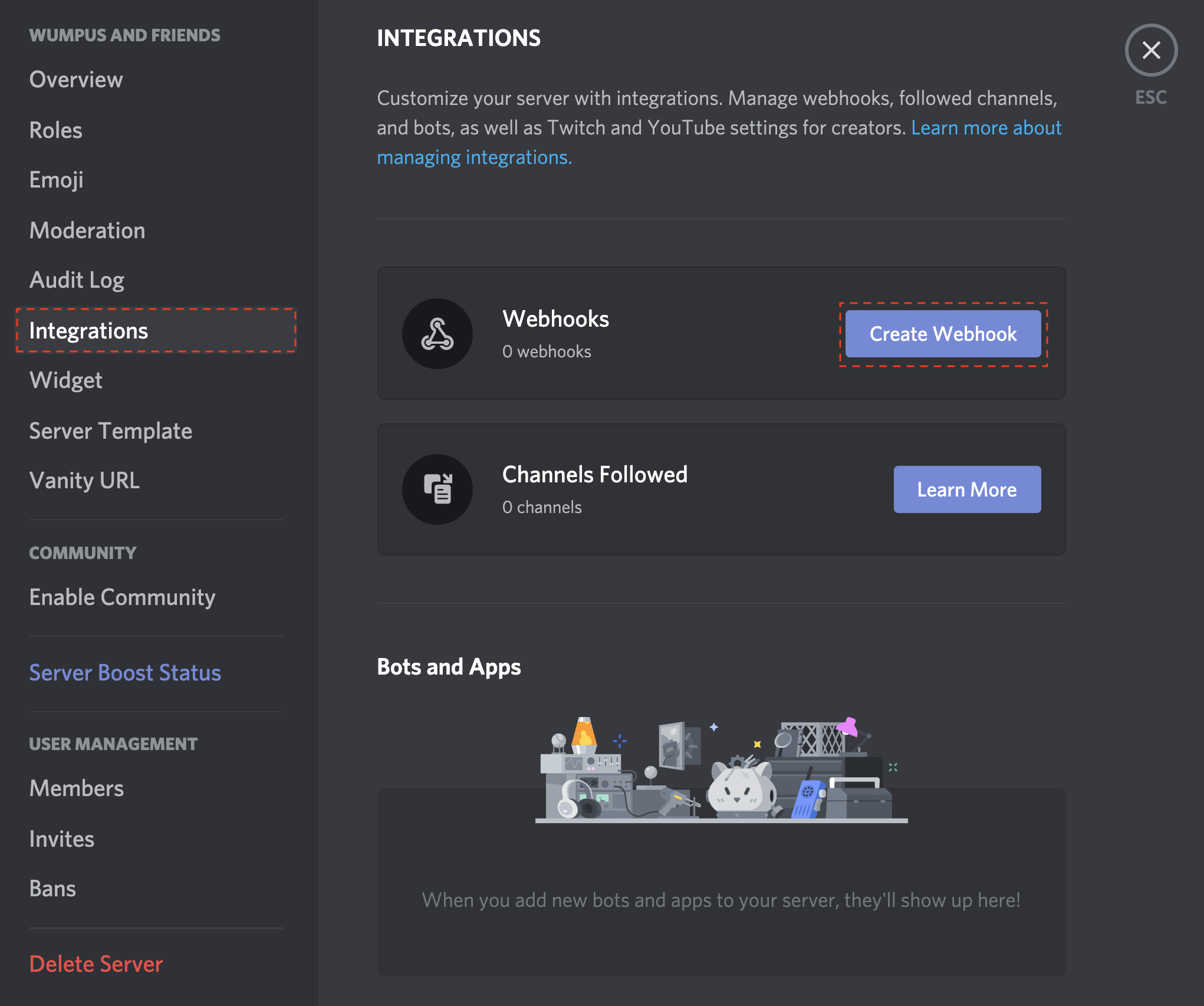

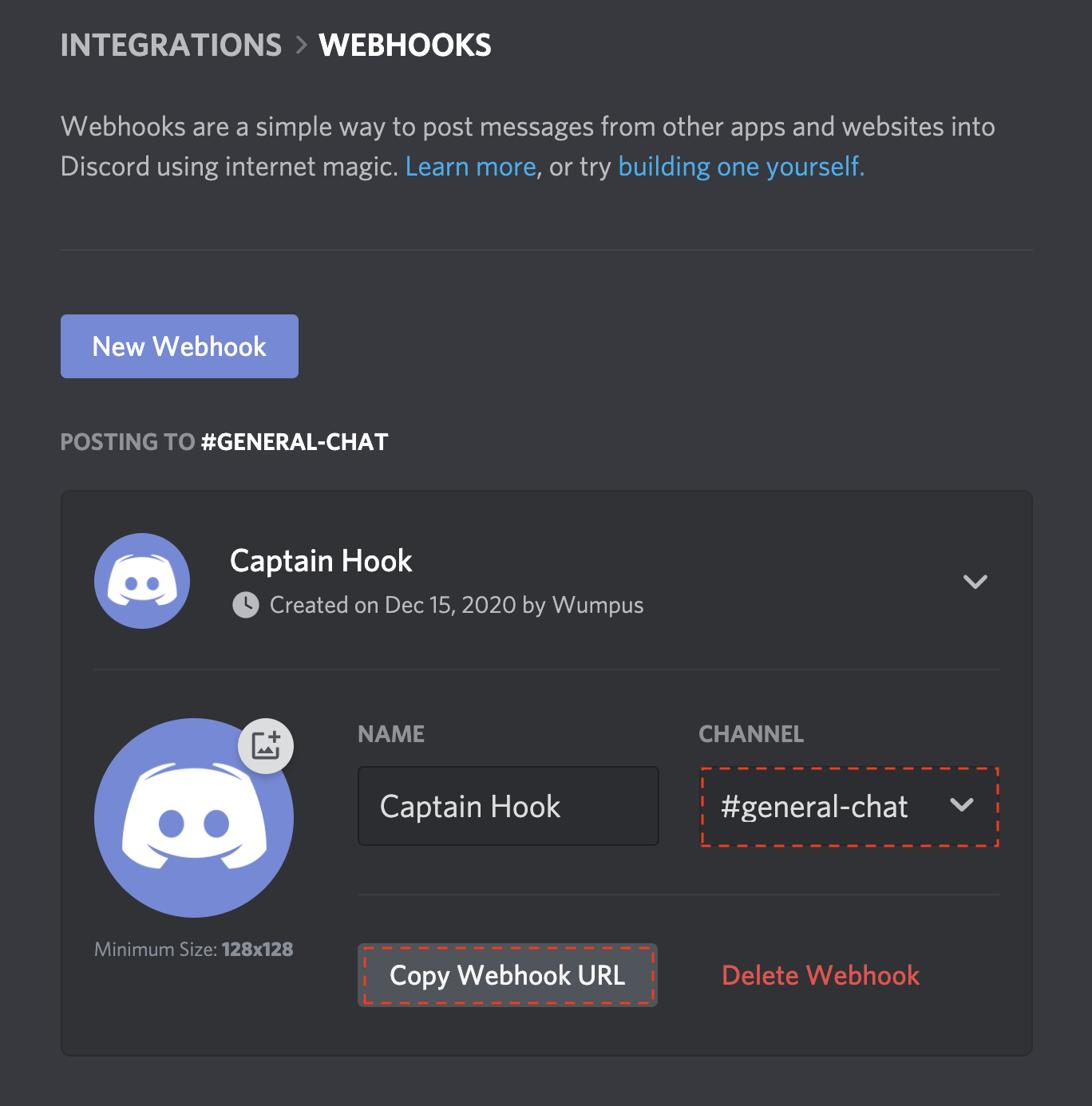
Change the bot settings to your preferences and copy the webhook URL.
-
Login to your Checkmk Webinterface and go to notification settings →

-
Create a notification rule like this:
Copy the created webhook url into the parameters -
Change the notification conditions to your liking.
-
Profit!
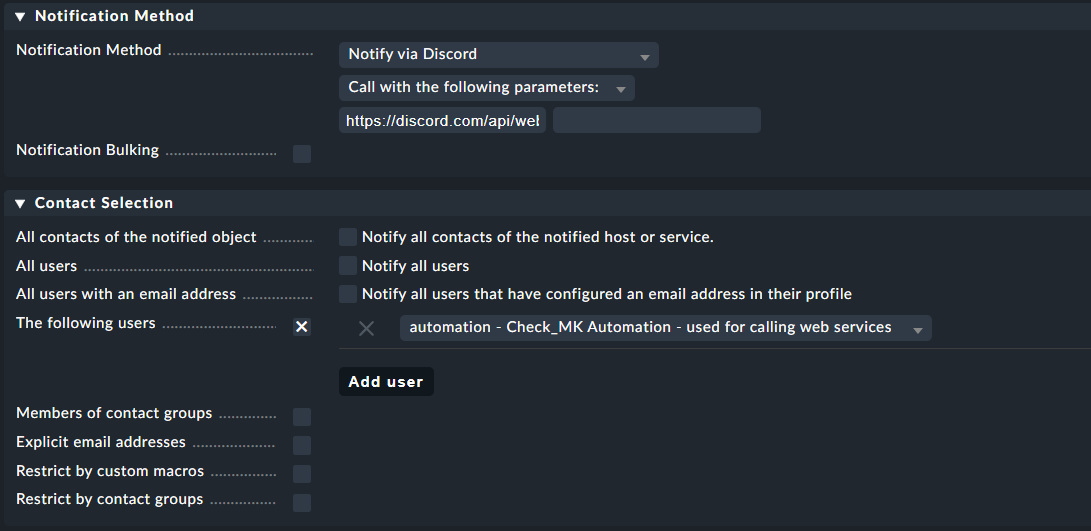
Hope this helps! No need to edit checkmk core files.
Kind Regards
Norm