carrolco
December 12, 2024, 2:36pm
1
I am trying to fully configure our Checkmk EE 2.2.0 to pull in data about our on premise Meraki AP.
I managed to follow the steps in this link,
Basically I have 2 objects and 2 rules for Meraki.
one dummy host to atach the agent to, in my case MerakiCloud
one folder to dynamically create the devices found by the agent (pigyback) in my case /Meraki
one rule for the agent (Cisco Meraki), I have only set the API key, leave everything else in the default, attach this rule to your dummy host
[image]
one rule to deal with the pigiback data (look for Dynamic host management), this will add all new found hosts to my Meraki folder
[ima…
And it connects to Meraki, has created the host in the folder for me.
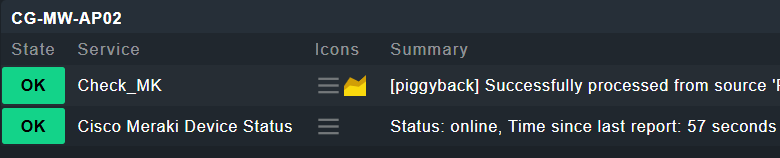
My hosts look like this in Checkmk,
But in theory they should look like the image in the linked article
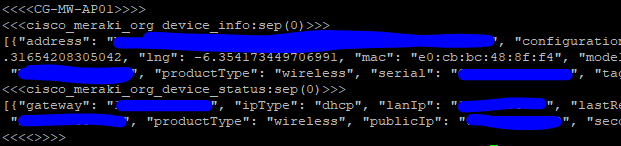
I can see from the command line that lots of useful info is pulled down, just wondering is it possible to get it to display
Any things I can try that could a) fix the first point, or b) answer the 2nd point
Thanks in advance
thl-cmk
December 12, 2024, 2:55pm
2
@carrolco which version of the Meraki Special Agent are you using?
carrolco
December 13, 2024, 5:07pm
3
I think this is correct, if not, how can I check the version, as it doesnt show on the dashboard for the host
carrolco
December 13, 2024, 5:34pm
4
I figured this out the display issue, I had a disabled Services rule in for “CheckMK.*” to stop displaying the agent version errors.
Back to the other point, I am assuming its not possible to display this info on the dashboard
Would be odd if you couldn’t , considering the agent is able to pull the info.
thl-cmk
December 13, 2024, 9:44pm
5
If I am not missing someting, you have uploaded, but not enabled the extended Meraki plugins. You need to klick the plug (
BTW. your Meraki agent is a bit old. here is the latest for 2.2.
carrolco
December 13, 2024, 11:37pm
6
The plug helped, can see the SSID’s that it broadcasts now.
Thanks for your help, will just come back to this later, will probably upgrade our version and see what that does for us.
system
December 13, 2025, 11:37pm
7
This topic was automatically closed 365 days after the last reply. New replies are no longer allowed. Contact an admin if you think this should be re-opened.

 ) in front of the package.