While setting up Checkmk and integrating hosts using Ansible, I’ve been highly impressed with how seamless the process has been. While exploring the Checkmk Plugin Catalog, I came across the cpu_threads check:
I was eager to use it but ran into a roadblock. Unlike plugins found under Agents → Linux (e.g., nginx_status), it seems cpu_threads isn’t a “real plugin” that can be deployed or directly configured in the same way.
I’m wondering if I’ve missed a key part of the documentation or if I might be misunderstanding how cpu_threads is intended to work.
My Goal
I’m looking for a straightforward way to monitor the currently running processes on multiple hosts, focusing on those with the highest resource consumption (CPU and memory).
What I’ve Tried So Far
I came across this related forum post:
This led me to consider writing my own scripts to achieve this. However, given the size and sophistication of Checkmk, I feel that creating custom scripts for such a seemingly simple task might not be the best solution.
If anyone could provide guidance on how to properly leverage cpu_threads or suggest an alternative approach for monitoring resource-heavy processes, I would greatly appreciate it!
Although the naming is a bit misleading as it doesn’t show or monitor the number of processes, only the number of threads. The check will appear as “Number of threads”, you should find it on every Linux host:
I’m not exactly sure what exactly you mean by “monitor the currently running processes on multiple hosts” – if you want to monitor the number of processes either in general or for a specific script/application, you can use the nagios plugin check_procs. Examples:
monitor the total number of processes and warn if they exceed a certain number
make sure there is at least one cron process (go CRIT if 0) but warn if there’s more than 5
As for monitoring resource usage per process, I’m not aware of a built-in way to do this.
The “Process Discovery” ruleset is able to create services for specific processes. These checks will also show you memory and CPU usage of that process (group).
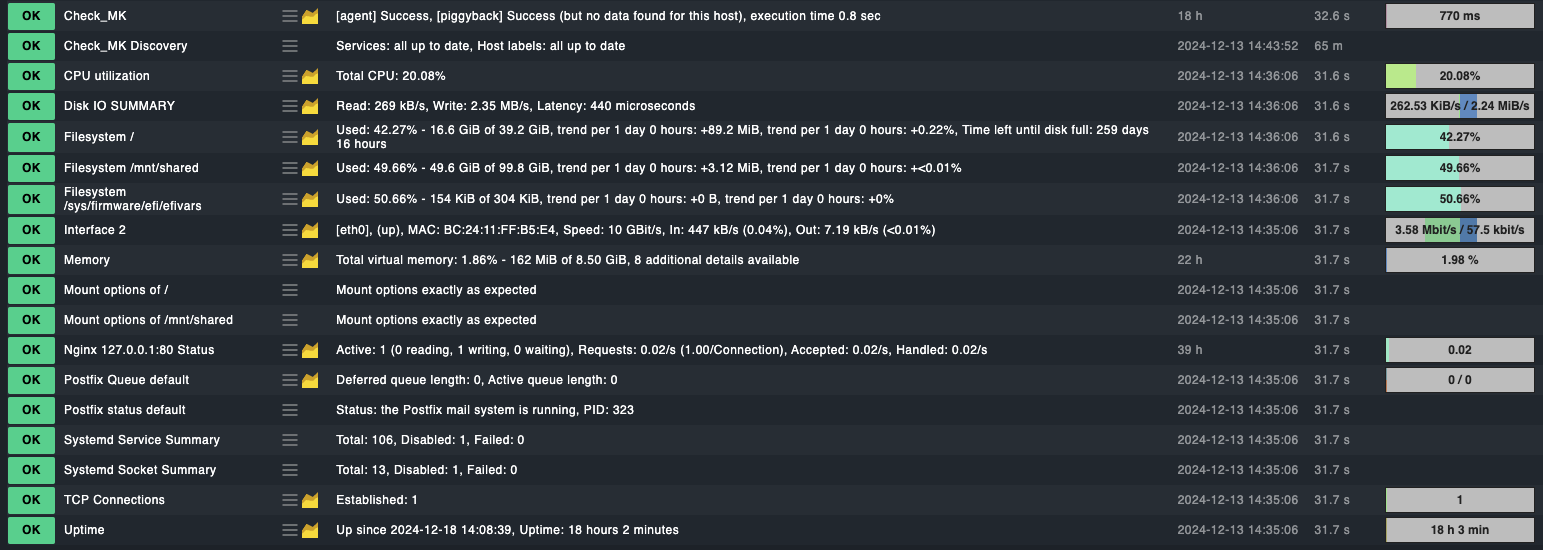
As shown in the screenshot, the agent has added many checks by default, which is great! However, there are still some additional options I’d like to monitor. Currently, my main focus is monitoring various LXC containers running on a Proxmox VE setup.
While I am comfortable writing custom scripts if needed, I would obviously prefer built-in options, especially for tasks like tracking resource-heavy processes. It seems like such a common use case that I imagine many others would also want to monitor similar metrics.
Any further advice or recommendations would be greatly appreciated!
This topic was automatically closed 365 days after the last reply. New replies are no longer allowed. Contact an admin if you think this should be re-opened.