Unable to add legacy OS in check mk 2.0
What is a
in your case? A little bit more information what you want to do would be very nice.
Hi,
I tried to add Windows 2008 Server to our Check_MK 2.0 Monitoring desk. But it will not support the agent check-MK-agent-2.0.0p9.
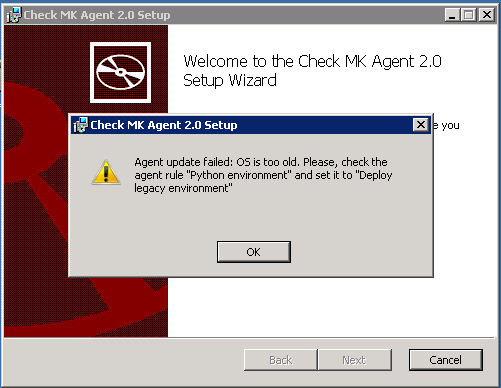
Regards
Mohan LM
Hi,
you need to install an Agent prior 1.6 on this kind of system.
Cheers,
Christian
Hi,
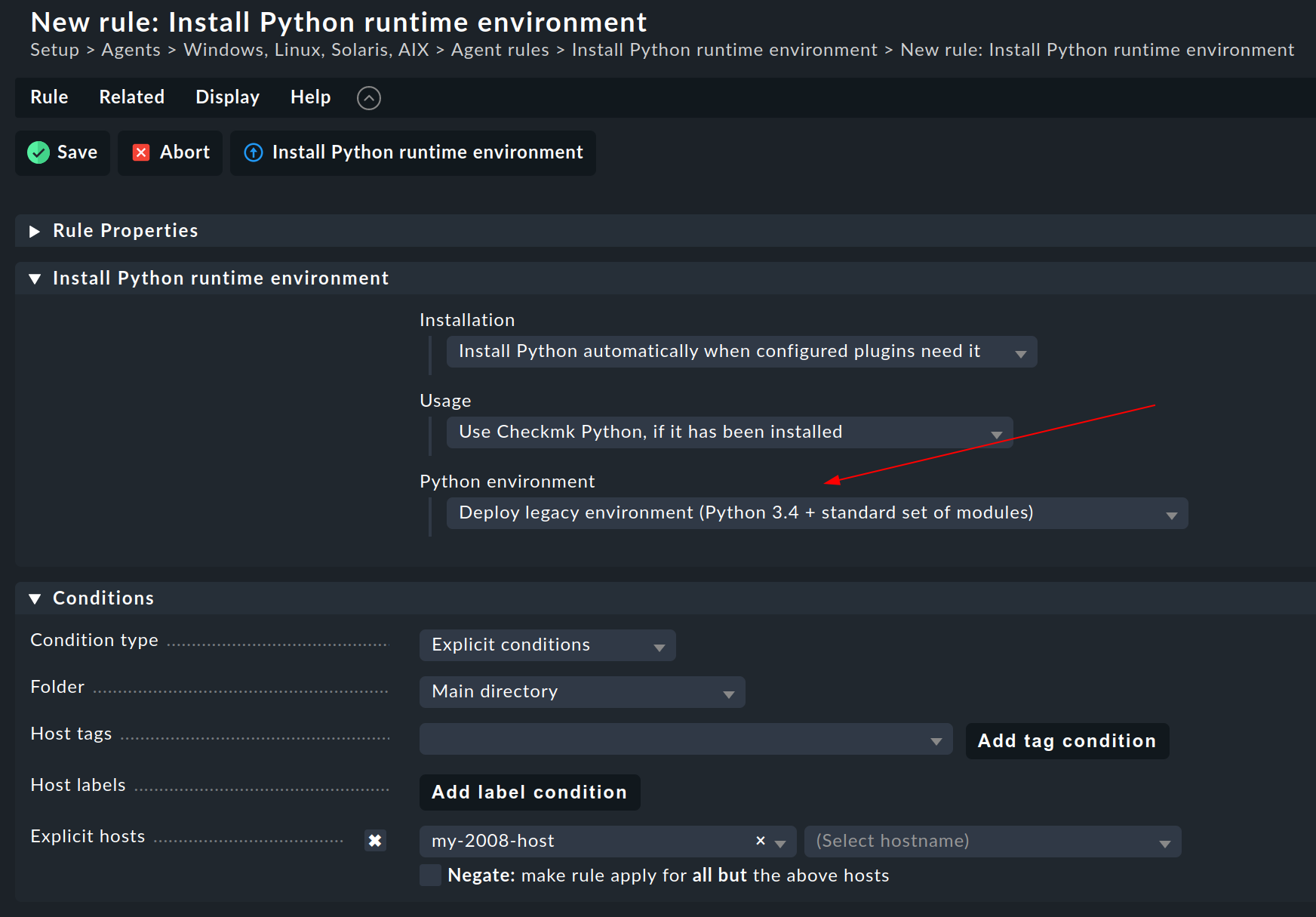
just create a rule for the agent bakery to deploy an older python version with the agent. To do that:
- search for rule “Install Python runtime environment”
- create a rule for the affected hosts like this:
- bake and deploy the resulting agent to the affected hosts.
2 Likes
Hi,
Is it possible and how to combine such rule for legacy environment with agent updater to have both in one package?
Regards,
Matjaž
Hi Matjaž,
sure. Just create two rules. One for the agent updater and one for the old python version. The latter one limited to the affected host(s).
Checkmk will merge them and a package that fulfills both rules will be baked by the bakery.
This topic was automatically closed 365 days after the last reply. New replies are no longer allowed. Contact an admin if you think this should be re-opened.