I am currently testing Checkmk Raw Edition 2.1.0p14.
So far I am very satisfied. However, I often get down / flapping messages from the Check_MK service itself. I have the assumption that the check is too fast for the systems / connections, since all other checks report no problems and the test systems show no problems.
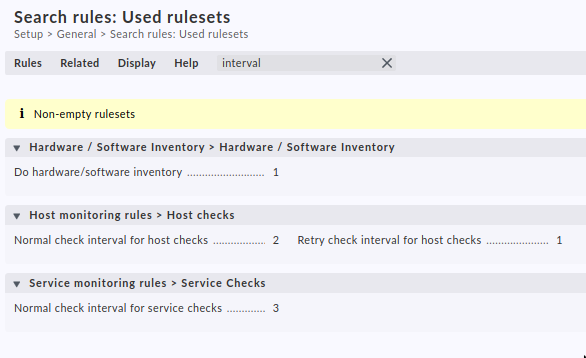
I tried to adjust the period of the check a bit by a custom rule, but unfortunately I can’t find the right option.
Can anyone remedy this or tell me how to customize the check?
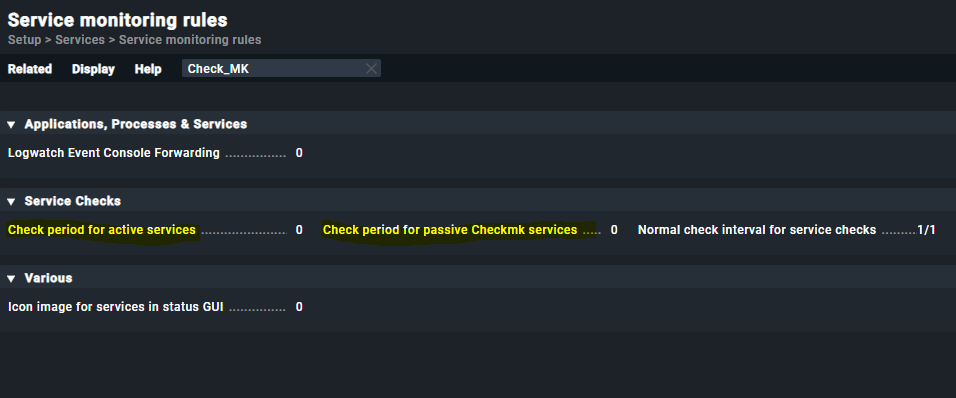
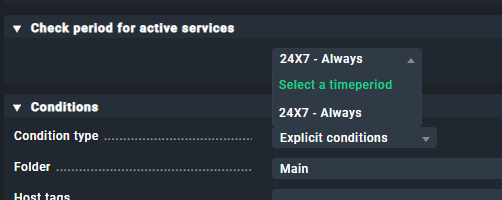
Yes, I have. However, for the checks (Check period for active services and Check period for passive Checkmk services) only the option “24X7 always” can be defined.
Or do I have the wrong thought process?
Thank you very much. The two checks seem to be it. I just have to figure out which one
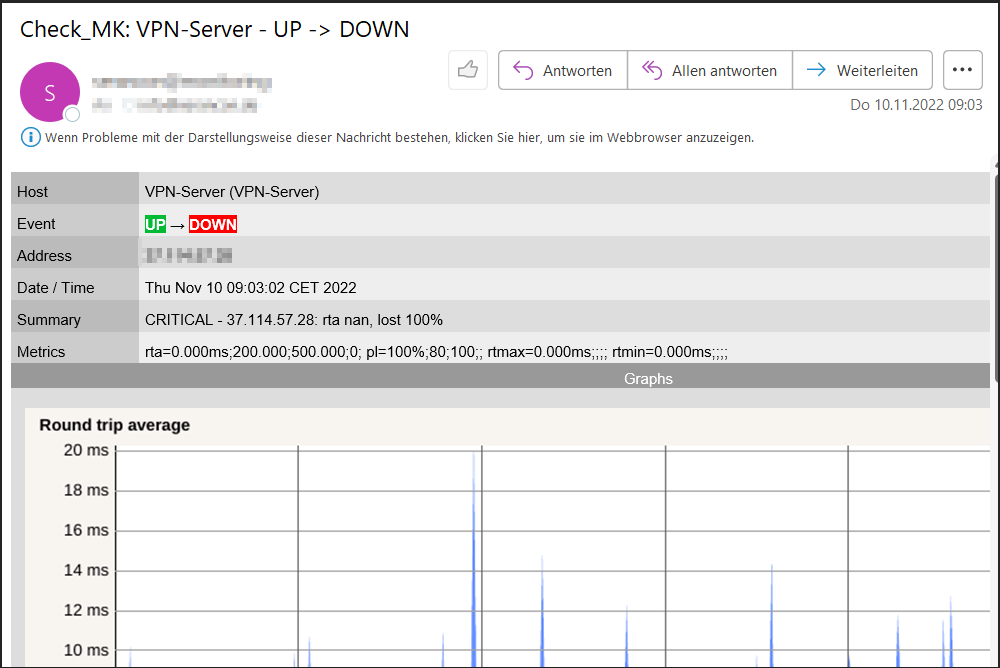
By the way, it is about this message. I receive only this notification.
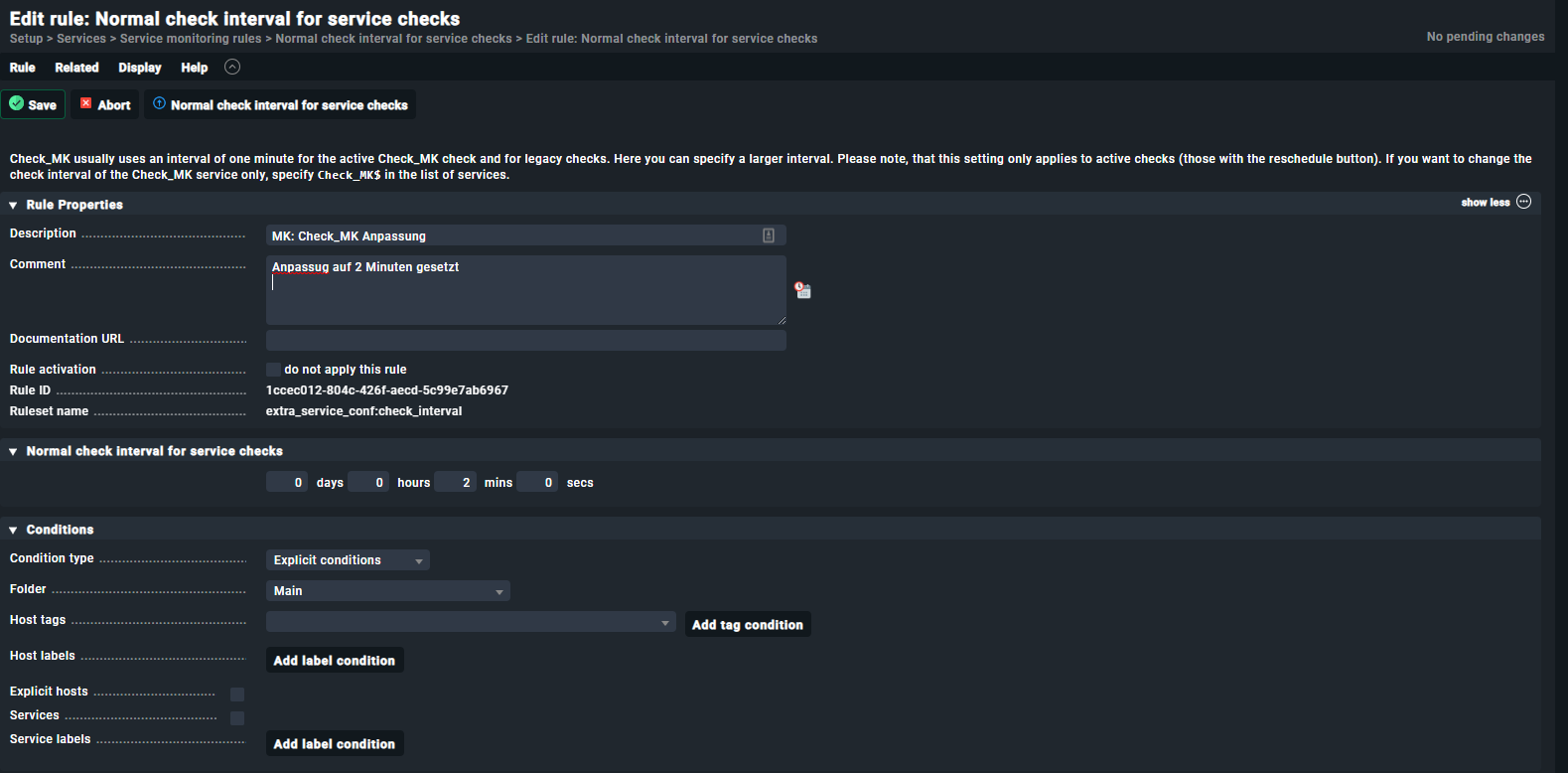
Unfortunately, after I’ve created a rule to check the active servers every 2 minutes, the problem still exists.
Anyone an iead why I receive so many notifications from the “Check_MK” service?
Not sure … you have not shown a notification for “Check_MK” service but for your host “VPN-Server” being reported as down because it was not responding to ping (100% packet loss).
Perhaps try to explain your problem in different words. And/or show screen shots of the message in question.
It is about the fact that very often I receive a message of the check. How exactly do I configure that the query is performed somewhat decelerated? Apparently the communication is too fast?
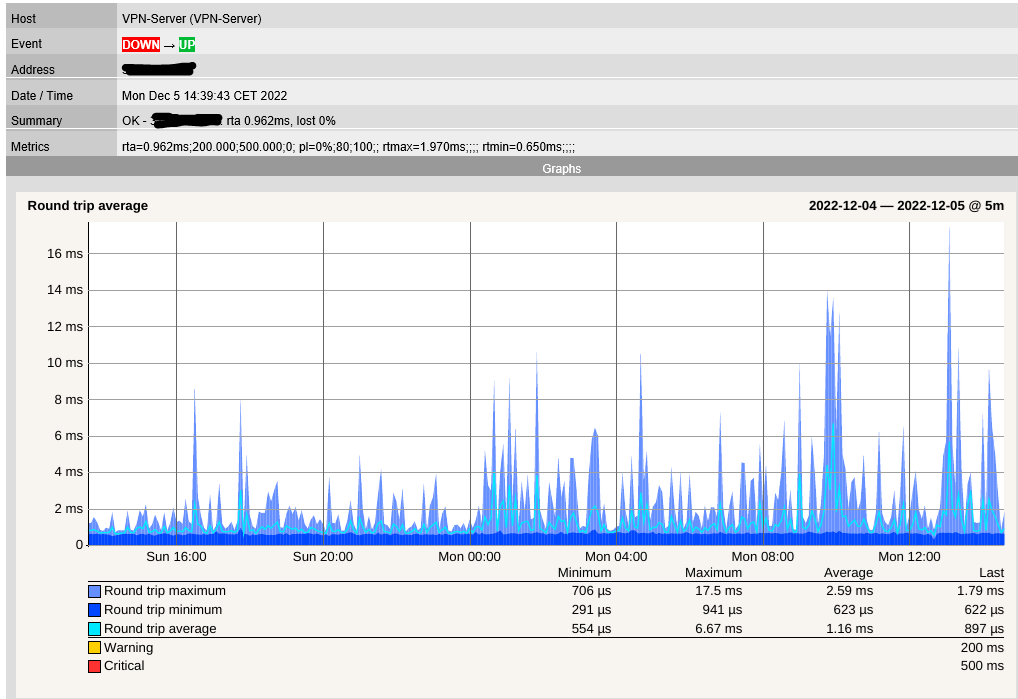
The following is the overview of the host. The warning can be ignored here.
Does anyone have any idea? I receive up to 30 notifications from the check_mk service, however, all values that the service sends to the monitoring are okay.
So it is indeed only about the message shown.
again: try to explain your problem in different words and in more detail.
What is the exact message you receive?
From what you have shown so far, I do not fully understand the problem.
What you have shown here is not a notification for the Check_MK service.
It is a “host down” notification. The reason given here is “100% paket loss”, i.e. there was no reply to the ping packets.
Could be some network problem, firewall issue, …
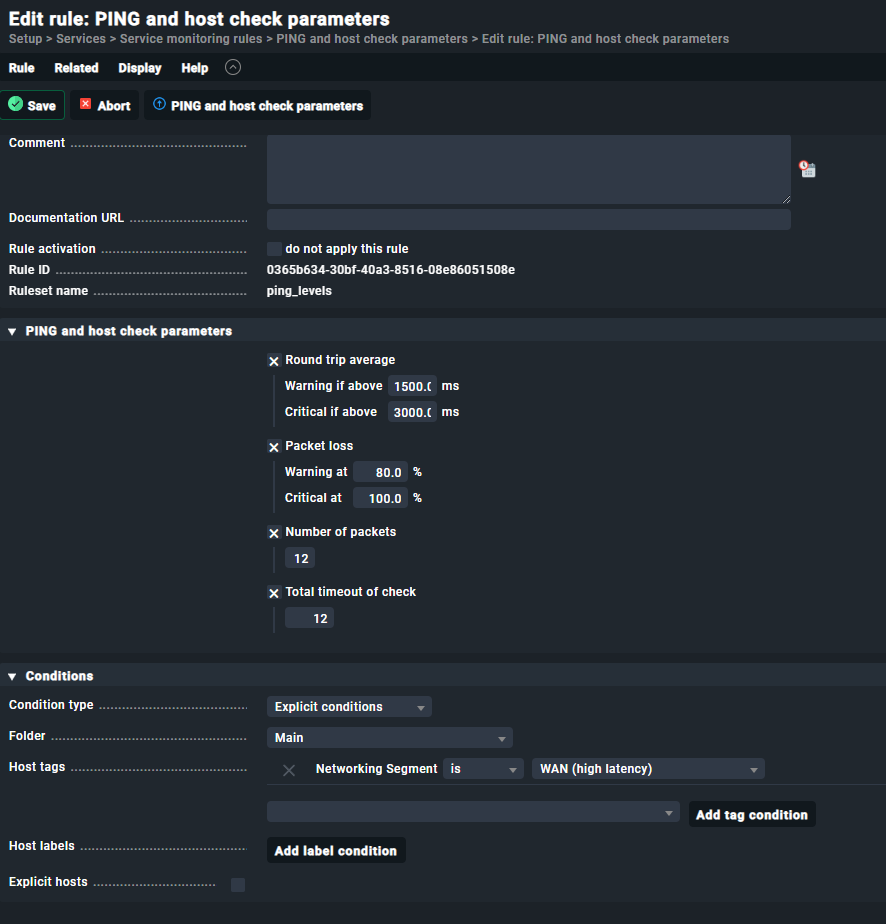
My idea was to increase the ping time.
I implemented a small script which sends a ping to the 1.1.1.1 every second and checks if the ping was successful. The result was that every ping was sent successfully and without packet loss.
I’m still not sure what your problem is exactly.
If you have packet loss on your network, then try to find the root cause and fix that.
If you can’t fix it and want to adjust the ping parameters in Checkmk, then you can do so in the ruleset which you yourself have already shown in a screen shot above.