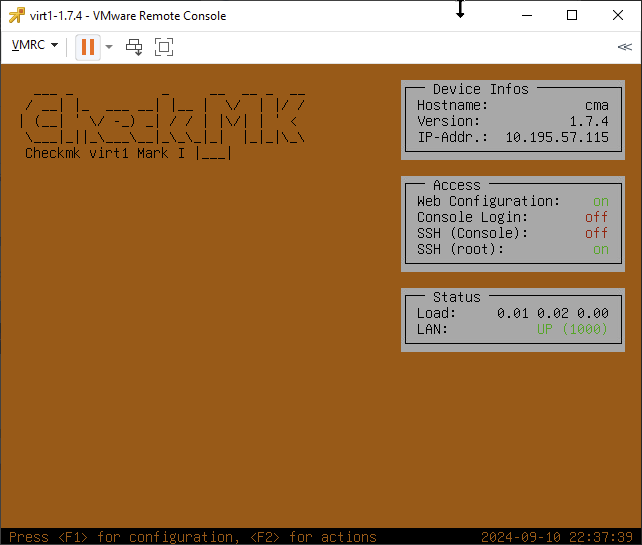
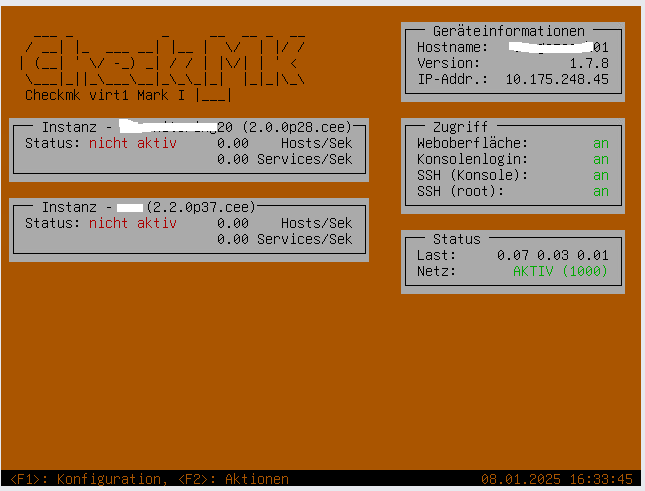
This seems to be an issue on a fresh appliance install on 1.7.5 vCenter as well.
The IP address shows as set and LAN is UP, but I can’t access the web console. The IP doesn’t respond to ping, all connections to it time out. There is no network firewall in the path from where I’m connecting from. The chosen solution on this thread didn’t work for me.
When I set the IP address I also get the “cannot assign requested address” message, although I’m unsure if that’s an expected message?
I moved the post to a dedicated thread, as it is not related to the other thread.
Some initial thoughts:
Are you positive all your ESXi hosts have their networking configured properly? It would not be the first time, that a missing VLAN on a single ESXi is causing issues.
Are default gateway and net mask correct?
Can you start a 1.6.9 appliance and see if the network comes online there?
Hi Robin, there are other VMs on the same host on the VLAN/subnet I’ve assigned the appliance to and I’m able to get to those fine. Confirmed default GW/net mask are correct.
I’ll give the 1.6.9 appliance a try and let you know.
It was the same issue immediately after deploying the VM on 1.6.9. I tried re-setting the IP config on it and still no change, but when I restarted the VM it started taking traffic.
I did try rebooting on 1.7.4 and 1.7.5 so I’m not sure why this made a difference now.
Sounds like a hypervisor issue to me then. Not sure if any of the messages here qualify as the solution, but maybe you want to write down the steps you took and mark that comment as the solution, so others can find it easily?
I have seen people configuring HTTP-Access without URL opens… “the site”.
After an upgrade of the appliance, checkMK tries to access the site instead of the GUI of the aplliance itself.
Therefore, before an update with these settings, device settings should be set to “Web Interface” instead of the site itself.
The site itself cant be autostarted, if there isn’t a new compatible Site available.
Is there already a solution for this problem? When I updated the appliance version 1.6.9 to version 1.7.8, I had the problem that the VM no longer had a network connection. All settings are correct in vCenter, but the host cannot be reached via http(s) or ssh. The IP address of the appliance is pingable.
Can you SSH into the machine? That would help you troubleshoot the issue by looking at logs and the overall system state. A reboot does not fix the issue? In that case, I recommend opening a support ticket, so we dig into the issue.