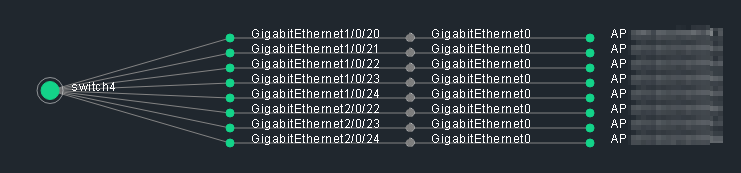
Is it possible to exclude some interfaces from the topology map? I have a lot of “mgmt0” interfaces that I would like to exclude.
Using version 0.9.9-20250207
Is it possible to exclude some interfaces from the topology map? I have a lot of “mgmt0” interfaces that I would like to exclude.
Using version 0.9.9-20250207
well, interfaces directly not (yet). In what type of layer do you have this issue (CDP/LLDP/L3v4)?
This would be both for the LLDP and CDP layers. The “mgmt0” interfaces realy mess up the map at the moment. It would be great to have a filter to exclude ports.
Hello folks,
I’m trying to implement the to CDP network topology in raw version 2.3.0p18.cre.
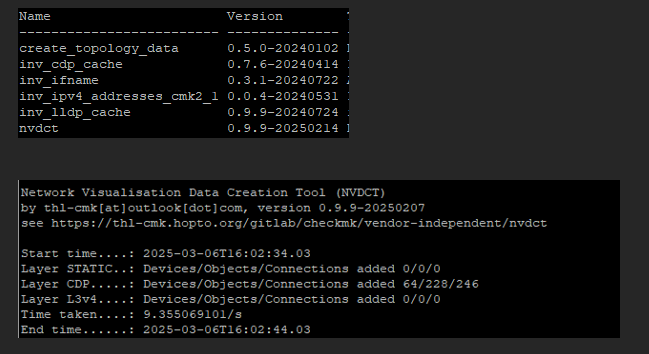
but when I click the Network Topology in the host icon it’s completely blank…
what am I doing wrong?
many thanks
some things I see from your screenshots:
Cheers
Thomas
Is the repo down again? I’m attempting to get the .mkp (and the one on the exchange is very out of date), and when trying to load the page it only returns an “error fetching data” message.

no, just checked, looks fine
Hello thl-cmk, thanks for your reply. I disabled the “create_topology_data” and installed and enabled the “inv_ip_address” but the issue persist: when I try to get the network topology on a device with CDP neighburs the page is blank (even I remove all the filters). I also checked under ~/var/check_mk/topology/data/ but I can’t find any updated directory or new file… where the nvdct should save the network topology? many thanks
can you show the contents of ~/var/check_mk/topology/data/ (ls -la). And also the CDP inventory of the host where you start to display the topology from?
Hi, it was my fault: I forgot -d option after I found the files under ~/var/check_mk/topology/data/nvdct/ and I can see the network topology! additional question related the cisco access point visualization on the network topology: in check_mk the AP are not included as hostname but are services for cisco WLC, If I understand well the object in the network topology are visible only if are in check_mk as hostname. any way to see AP connected to WLC in the network topology? thanks
If your APs are in the CDP/LLDP cache of your switches, the should show up as unknown/external objects (blue/white "?). To have them as Checkmk objects you need to create them as hosts in Checkmk.
yep, AP are marked as unknown host “?” but in reality APs are in check_mk as services for cisco WLC, name is the same present in CDP but APs are not recognised in the network topology.
NV searches only for hosts in this case, so you need to create the APs as hosts.
etwas … OffTopic aber evtl will sich ja einer mit 3D Visualisierung mit Gaming Engine versuchen … Learning/01_Grundlagen_und_Uebungen/37_Network_visu at main · bh2005/Learning
A bit off topic, but maybe someone wants to try their hand at 3D visualization with a gaming engine.
Hi @gasotni
took me a “little” while, but now you can do that.
see: L2_NEIGHBOUR_FROM_SERVICE
Cheers
Thomas
Hello @thl-cmk, thanks for your reply and work! is L2_NEIGHBOUR_FROM_SERVICE working with NVDCT version 0.9.9-20250207 or should I update it? thanks
you need to update at least to Version 1.1.4-2025-11-14