New AVTech Room Alert 3s Plugin No Services Discovered

CMK version: 2.4.0p27.cme
OS version: RHEL 9

Was happy to see that this device was being added in werk 19562. We recently purchased one but nothing was discovered when added in 2.4.0p21. I just updated last night and expected to see services discovered.

Error message: No errors, just no services discovered.
Test Connection in the GUI shows empty values or “Got empty SNMP response”.
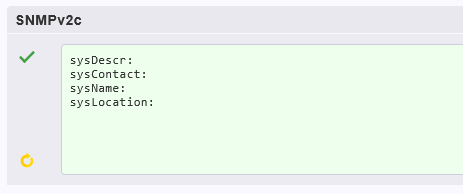
Upped the timeout to 4 seconds without much difference.
Updated the firmware for the device just in case.
Testing from the CLI using cmk --snmpwalk produces a file.

$ cat ~/var/check_mk/snmpwalks/temp01
.1.3.6.1.2.1.1.2.0 .1.3.6.1.4.1.20916
.1.3.6.1.2.1.1.3.0 287988984
.1.3.6.1.2.1.1.4.0 Systems
.1.3.6.1.2.1.1.5.0 temp01
.1.3.6.1.2.1.1.6.0 Seattle
.1.3.6.1.4.1.20916.1.13.1.1.1.1.0 7892
.1.3.6.1.4.1.20916.1.13.1.1.1.2.0 2607
.1.3.6.1.4.1.20916.1.13.1.2.1.1.0 2237
.1.3.6.1.4.1.20916.1.13.1.2.1.2.0 7226
.1.3.6.1.4.1.20916.1.13.1.4.1.1.0 Internal Sensor
.1.3.6.1.4.1.20916.1.13.1.4.2.1.0 Ext Sensor 1

snmpwalk responds with content:

$ snmpwalk -v2c -c <commstring> <IP> 1.3.6.1.2.1.1
SNMPv2-MIB::sysDescr.0 = STRING: AVTECH RoomAlert 3S
SNMPv2-MIB::sysObjectID.0 = OID: SNMPv2-SMI::enterprises.20916
SNMPv2-MIB::sysUpTime.0 = Timeticks: (467789) 1:17:57.89
SNMPv2-MIB::sysContact.0 = STRING: Systems
SNMPv2-MIB::sysName.0 = STRING: temp01
SNMPv2-MIB::sysLocation.0 = STRING: Seattle
SNMPv2-MIB::sysServices.0 = INTEGER: 7

snmpbulkwalk responds with content but is missing the sysDescr

$ snmpbulkwalk -v2c -c <commstring> <ip> 1.3.6.1.2.1.1
SNMPv2-MIB::sysObjectID.0 = OID: SNMPv2-SMI::enterprises.20916
SNMPv2-MIB::sysUpTime.0 = Timeticks: (486829) 1:21:08.29
SNMPv2-MIB::sysContact.0 = STRING: Systems
SNMPv2-MIB::sysName.0 = STRING: temp01
SNMPv2-MIB::sysLocation.0 = STRING: Seattle

Based on the missing bulkwalk info, tried disabling bulkwalk for the device via rule.
No change.

Debug output

$ cmk -vv temp01
value store: loading from disk
Checkmk version 2.4.0p27
+ FETCHING DATA
  Source: SourceInfo(hostname='temp01', ipaddress='<IP>', ident='snmp', fetcher_type=<FetcherType.SNMP: 7>, source_type=<SourceType.HOST: 1>)
[cpu_tracking] Start [7f847bc9b8f0]
Read from cache: SNMPFileCache(path_template=/omd/sites/<sitename>/tmp/check_mk/data_source_cache/snmp/{mode}/temp01, max_age=MaxAge(checking=0, discovery=180.0, inventory=180.0), simulation=False, use_only_cache=False, file_cache_mode=6)
Not using cache (Too old. Age is 8 sec, allowed is 0 sec)
Write data to cache file /omd/sites/<sitename>/tmp/check_mk/data_source_cache/snmp/checking/temp01
Trying to acquire lock on /omd/sites/<sitename>/tmp/check_mk/data_source_cache/snmp/checking/temp01
Got lock on /omd/sites/<sitename>/tmp/check_mk/data_source_cache/snmp/checking/temp01
Releasing lock on /omd/sites/<sitename>/tmp/check_mk/data_source_cache/snmp/checking/temp01
Released lock on /omd/sites/<sitename>/tmp/check_mk/data_source_cache/snmp/checking/temp01
[cpu_tracking] Stop [7f847bc9b8f0 - Snapshot(process=posix.times_result(user=0.0, system=0.0, children_user=0.0, children_system=0.0, elapsed=0.0))]
  Source: SourceInfo(hostname='temp01', ipaddress='<IP>', ident='piggyback', fetcher_type=<FetcherType.PIGGYBACK: 4>, source_type=<SourceType.HOST: 1>)
[cpu_tracking] Start [7f847c1fec60]
Read from cache: NoCache(path_template=/dev/null, max_age=MaxAge(checking=0.0, discovery=0.0, inventory=0.0), simulation=False, use_only_cache=False, file_cache_mode=1)
0 piggyback files for 'temp01'.
0 piggyback files for '<IP>'.
Get piggybacked data
[cpu_tracking] Stop [7f847c1fec60 - Snapshot(process=posix.times_result(user=0.0, system=0.0, children_user=0.0, children_system=0.0, elapsed=0.009999999776482582))]
[cpu_tracking] Start [7f847c1876e0]
+ PARSE FETCHER RESULTS
  HostKey(hostname='temp01', source_type=<SourceType.HOST: 1>)  -> Add sections: []
  HostKey(hostname='temp01', source_type=<SourceType.HOST: 1>)  -> Add sections: []
Received no piggyback data
0 piggyback files for 'temp01'.
0 piggyback files for '<IP>'.
[cpu_tracking] Stop [7f847c1876e0 - Snapshot(process=posix.times_result(user=0.009999999999999787, system=0.0, children_user=0.0, children_system=0.0, elapsed=0.0))]
value store: updating
Trying to acquire lock on /omd/sites/<sitename>/tmp/check_mk/counters/temp01
Got lock on /omd/sites/<sitename>/tmp/check_mk/counters/temp01
value store: already loaded
value store: writing to disk
Releasing lock on /omd/sites/<sitename>/tmp/check_mk/counters/temp01
Released lock on /omd/sites/<sitename>/tmp/check_mk/counters/temp01
[snmp] Success, [piggyback] Success (but no data found for this host), execution time 0.0 sec | execution_time=0.010 user_time=0.010 system_time=0.000 children_user_time=0.000 children_system_time=0.000 cmk_time_snmp=0.000 cmk_time_agent=0.010

Wondering if this is broken snmp and/or something with the plug-in.
I can provide more specifics if desired but appreciate any troubleshooting assistance.

Thanks for your time,

Scotsie

To troubleshot you should have a look at

cmk -vv -I temp01

Without -I you will not search for new services, but just retrieve values of existing services.

Thank you for the follow up. That command definitely produces more output but ultimately still ‘Success - Found no new services’.

Full output (slightly sanitized) attached due to the length and ‘Using cache…’ for the same OIDs entries repeatedly.

Trimmed output (minus cache lines) here for quick view

$ cmk -I -vv temp01
Discovering services and host labels on: temp01
temp01:

  • FETCHING DATA
    Source: SourceInfo(hostname=‘temp01’, ipaddress=‘’, ident=‘snmp’, fetcher_type=<FetcherType.SNMP: 7>, source_type=<SourceType.HOST: 1>)
    [cpu_tracking] Start [7f6edb10f4a0]
    Read from cache: SNMPFileCache(path_template=/omd/sites//tmp/check_mk/data_source_cache/snmp/{mode}/temp01, max_age=MaxAge(checking=0, discovery=180.0, inventory=180.0), simulation=False, use_only_cache=False, file_cache_mode=1)
    SNMP scan:
    Getting OID .1.3.6.1.2.1.1.1.0…
    Executing SNMP _Mode.GET of .1.3.6.1.2.1.1.1.0 on temp01
    => [b’AVTECH RoomAlert 3S’] OCTETSTR
    Got OID .1.3.6.1.2.1.1.1.0: b’AVTECH RoomAlert 3S’
    Getting OID .1.3.6.1.2.1.1.2.0…
    Executing SNMP _Mode.GET of .1.3.6.1.2.1.1.2.0 on temp01
    => [b’.1.3.6.1.4.1.20916’] OBJECTID
    Got OID .1.3.6.1.2.1.1.2.0: b’.1.3.6.1.4.1.20916’
    Getting OID .1.3.6.1.4.1.14848.2.1.1.1.0…
    Executing SNMP _Mode.GET of .1.3.6.1.4.1.14848.2.1.1.1.0 on temp01
    => [None] NOSUCHOBJECT
    Getting OID .1.3.6.1.4.1.14848.2.1.1.1.0 failed.
    Getting OID .1.3.6.1.4.1.232.2.2.4.2.0…
    Executing SNMP _Mode.GET of .1.3.6.1.4.1.232.2.2.4.2.0 on temp01
    => [None] NOSUCHOBJECT
    Getting OID .1.3.6.1.4.1.232.2.2.4.2.0 failed.
    Getting OID .1.3.6.1.2.1.15.3.1.1.
    Executing SNMP _Mode.GET_NEXT of .1.3.6.1.2.1.15.3.1.1 on temp01
    => [None] ENDOFMIBVIEW
    Getting OID .1.3.6.1.2.1.15.3.1.1.
    failed.
    Getting OID .1.3.6.1.2.1.2.2.1.
    Executing SNMP _Mode.GET_NEXT of .1.3.6.1.2.1.2.2.1 on temp01
    => [None] ENDOFMIBVIEW
    Getting OID .1.3.6.1.2.1.2.2.1.
    failed.
    Getting OID .1.3.6.1.4.1.674.
    Executing SNMP _Mode.GET_NEXT of .1.3.6.1.4.1.674 on temp01
    => [None] ENDOFMIBVIEW
    Getting OID .1.3.6.1.4.1.674.
    failed.
    Getting OID .1.3.6.1.2.1.43.
    Executing SNMP _Mode.GET_NEXT of .1.3.6.1.2.1.43 on temp01
    => [None] ENDOFMIBVIEW
    Getting OID .1.3.6.1.2.1.43.
    failed.
    Getting OID .1.3.6.1.2.1.25.1.1.0…
    Executing SNMP _Mode.GET of .1.3.6.1.2.1.25.1.1.0 on temp01
    => [None] NOSUCHOBJECT
    Getting OID .1.3.6.1.2.1.25.1.1.0 failed.
    Getting OID .1.3.6.1.4.1.30155.2.1.1.0…
    Executing SNMP _Mode.GET of .1.3.6.1.4.1.30155.2.1.1.0 on temp01
    => [None] NOSUCHOBJECT
    Getting OID .1.3.6.1.4.1.30155.2.1.1.0 failed.
    Getting OID .1.3.6.1.4.1.47196.4.1.1.3.11.3.1.1.
    Executing SNMP _Mode.GET_NEXT of .1.3.6.1.4.1.47196.4.1.1.3.11.3.1.1 on temp01
    => [None] ENDOFMIBVIEW
    Getting OID .1.3.6.1.4.1.47196.4.1.1.3.11.3.1.1.
    failed.
    Getting OID .1.3.6.1.2.1.31.1.1.1.6.
    Executing SNMP _Mode.GET_NEXT of .1.3.6.1.2.1.31.1.1.1.6 on temp01
    => [b’ENDOFMIBVIEW’] COUNTER64
    Got OID .1.3.6.1.2.1.31.1.1.1.6.
    : b’ENDOFMIBVIEW’
    Getting OID .1.3.6.1.2.1.105.1.3.1.1.
    Executing SNMP _Mode.GET_NEXT of .1.3.6.1.2.1.105.1.3.1.1 on temp01
    => [None] ENDOFMIBVIEW
    Getting OID .1.3.6.1.2.1.105.1.3.1.1.
    failed.
    Getting OID .1.3.6.1.2.1.47.1.1.1.1.
    Executing SNMP _Mode.GET_NEXT of .1.3.6.1.2.1.47.1.1.1.1 on temp01
    => [None] ENDOFMIBVIEW
    Getting OID .1.3.6.1.2.1.47.1.1.1.1.
    failed.
    Getting OID .1.3.6.1.4.1.6302.2.1.1.1.0…
    Executing SNMP _Mode.GET of .1.3.6.1.4.1.6302.2.1.1.1.0 on temp01
    => [None] NOSUCHOBJECT
    Getting OID .1.3.6.1.4.1.6302.2.1.1.1.0 failed.
    Getting OID .1.3.6.1.4.1.2036.2.1.1.4.0…
    Executing SNMP _Mode.GET of .1.3.6.1.4.1.2036.2.1.1.4.0 on temp01
    => [None] NOSUCHOBJECT
    Getting OID .1.3.6.1.4.1.2036.2.1.1.4.0 failed.
    SNMP scan found hr_mem if64 ra3s_digital_sensors ra3s_internal_sensors snmp_info snmp_uptime
    Trying to acquire lock on /omd/sites//tmp/check_mk/snmp_scan_cache/temp01.
    Got lock on /omd/sites//tmp/check_mk/snmp_scan_cache/temp01.
    Releasing lock on /omd/sites//tmp/check_mk/snmp_scan_cache/temp01.
    Released lock on /omd/sites//tmp/check_mk/snmp_scan_cache/temp01.
    hr_mem: Fetching data (SNMP walk cache cleared)
    Executing WALK (v2c) of “.1.3.6.1.2.1.25.2.3.1.2” on temp01
    Executing SNMP _Mode.GET of .1.3.6.1.2.1.25.2.3.1.2 on temp01
    => [None] NOSUCHOBJECT
    Executing WALK (v2c) of “.1.3.6.1.2.1.25.2.3.1.3” on temp01
    Executing SNMP _Mode.GET of .1.3.6.1.2.1.25.2.3.1.3 on temp01
    => [None] NOSUCHOBJECT
    Executing WALK (v2c) of “.1.3.6.1.2.1.25.2.3.1.4” on temp01
    Executing SNMP _Mode.GET of .1.3.6.1.2.1.25.2.3.1.4 on temp01
    => [None] NOSUCHOBJECT
    Executing WALK (v2c) of “.1.3.6.1.2.1.25.2.3.1.5” on temp01
    Executing SNMP _Mode.GET of .1.3.6.1.2.1.25.2.3.1.5 on temp01
    => [None] NOSUCHOBJECT
    Executing WALK (v2c) of “.1.3.6.1.2.1.25.2.3.1.6” on temp01
    Executing SNMP _Mode.GET of .1.3.6.1.2.1.25.2.3.1.6 on temp01
    => [None] NOSUCHOBJECT
    if64: Fetching data (SNMP walk cache cleared)
    Executing WALK (v2c) of “.1.3.6.1.2.1.1.3” on temp01
    Executing SNMP _Mode.GET of .1.3.6.1.2.1.1.3 on temp01
    => [<netsnmp.client.Varbind object at 0x7f6eda7c33b0>] TICKS
    Executing WALK (v2c) of “.1.3.6.1.2.1.25.1.1” on temp01
    Executing SNMP _Mode.GET of .1.3.6.1.2.1.25.1.1 on temp01
    => [None] NOSUCHOBJECT
    Executing WALK (v2c) of “.1.3.6.1.2.1.2.2.1.1” on temp01
    Executing SNMP _Mode.GET of .1.3.6.1.2.1.2.2.1.1 on temp01
    => [<netsnmp.client.Varbind object at 0x7f6eda7c1010>] INTEGER32
    Executing WALK (v2c) of “.1.3.6.1.2.1.2.2.1.2” on temp01
    Executing SNMP _Mode.GET of .1.3.6.1.2.1.2.2.1.2 on temp01
    => [<netsnmp.client.Varbind object at 0x7f6eda7c3470>] OCTETSTR
    Executing WALK (v2c) of “.1.3.6.1.2.1.2.2.1.3” on temp01
    Executing SNMP _Mode.GET of .1.3.6.1.2.1.2.2.1.3 on temp01
    => [<netsnmp.client.Varbind object at 0x7f6eda7c0e60>] INTEGER
    Executing WALK (v2c) of “.1.3.6.1.2.1.2.2.1.5” on temp01
    Executing SNMP _Mode.GET of .1.3.6.1.2.1.2.2.1.5 on temp01
    => [<netsnmp.client.Varbind object at 0x7f6eda7b1ee0>] GAUGE
    Executing WALK (v2c) of “.1.3.6.1.2.1.2.2.1.8” on temp01
    Executing SNMP _Mode.GET of .1.3.6.1.2.1.2.2.1.8 on temp01
    => [<netsnmp.client.Varbind object at 0x7f6eda7c0e60>] INTEGER
    Executing WALK (v2c) of “.1.3.6.1.2.1.31.1.1.1.6” on temp01
    Executing SNMP _Mode.GET of .1.3.6.1.2.1.31.1.1.1.6 on temp01
    => [<netsnmp.client.Varbind object at 0x7f6eda7c21e0>] COUNTER64
    Executing WALK (v2c) of “.1.3.6.1.2.1.31.1.1.1.7” on temp01
    Executing SNMP _Mode.GET of .1.3.6.1.2.1.31.1.1.1.7 on temp01
    => [<netsnmp.client.Varbind object at 0x7f6eda7c2d20>] COUNTER64
    Executing WALK (v2c) of “.1.3.6.1.2.1.31.1.1.1.8” on temp01
    Executing SNMP _Mode.GET of .1.3.6.1.2.1.31.1.1.1.8 on temp01
    => [<netsnmp.client.Varbind object at 0x7f6eda7c2480>] COUNTER64
    Executing WALK (v2c) of “.1.3.6.1.2.1.31.1.1.1.9” on temp01
    Executing SNMP _Mode.GET of .1.3.6.1.2.1.31.1.1.1.9 on temp01
    => [<netsnmp.client.Varbind object at 0x7f6eda7c0ef0>] COUNTER64
    Executing WALK (v2c) of “.1.3.6.1.2.1.2.2.1.13” on temp01
    Executing SNMP _Mode.GET of .1.3.6.1.2.1.2.2.1.13 on temp01
    => [<netsnmp.client.Varbind object at 0x7f6eda7c1100>] COUNTER
    Executing WALK (v2c) of “.1.3.6.1.2.1.2.2.1.14” on temp01
    Executing SNMP _Mode.GET of .1.3.6.1.2.1.2.2.1.14 on temp01
    => [<netsnmp.client.Varbind object at 0x7f6eda7c14f0>] COUNTER
    Executing WALK (v2c) of “.1.3.6.1.2.1.31.1.1.1.10” on temp01
    Executing SNMP _Mode.GET of .1.3.6.1.2.1.31.1.1.1.10 on temp01
    => [<netsnmp.client.Varbind object at 0x7f6eda7c0ec0>] COUNTER64
    Executing WALK (v2c) of “.1.3.6.1.2.1.31.1.1.1.11” on temp01
    Executing SNMP _Mode.GET of .1.3.6.1.2.1.31.1.1.1.11 on temp01
    => [<netsnmp.client.Varbind object at 0x7f6eda7cbb90>] COUNTER64
    Executing WALK (v2c) of “.1.3.6.1.2.1.31.1.1.1.12” on temp01
    Executing SNMP _Mode.GET of .1.3.6.1.2.1.31.1.1.1.12 on temp01
    => [<netsnmp.client.Varbind object at 0x7f6eda7cbdd0>] COUNTER64
    Executing WALK (v2c) of “.1.3.6.1.2.1.31.1.1.1.13” on temp01
    Executing SNMP _Mode.GET of .1.3.6.1.2.1.31.1.1.1.13 on temp01
    => [<netsnmp.client.Varbind object at 0x7f6eda7cbad0>] COUNTER64
    Executing WALK (v2c) of “.1.3.6.1.2.1.2.2.1.19” on temp01
    Executing SNMP _Mode.GET of .1.3.6.1.2.1.2.2.1.19 on temp01
    => [<netsnmp.client.Varbind object at 0x7f6eda7cb410>] COUNTER
    Executing WALK (v2c) of “.1.3.6.1.2.1.2.2.1.20” on temp01
    Executing SNMP _Mode.GET of .1.3.6.1.2.1.2.2.1.20 on temp01
    => [<netsnmp.client.Varbind object at 0x7f6eda7cb410>] COUNTER
    Executing WALK (v2c) of “.1.3.6.1.2.1.2.2.1.21” on temp01
    Executing SNMP _Mode.GET of .1.3.6.1.2.1.2.2.1.21 on temp01
    => [<netsnmp.client.Varbind object at 0x7f6eda7cb380>] GAUGE
    Executing WALK (v2c) of “.1.3.6.1.2.1.31.1.1.1.18” on temp01
    Executing SNMP _Mode.GET of .1.3.6.1.2.1.31.1.1.1.18 on temp01
    => [<netsnmp.client.Varbind object at 0x7f6eda7cb620>] OCTETSTR
    Executing WALK (v2c) of “.1.3.6.1.2.1.2.2.1.6” on temp01
    Executing SNMP _Mode.GET of .1.3.6.1.2.1.2.2.1.6 on temp01
    => [<netsnmp.client.Varbind object at 0x7f6eda7c3110>] OCTETSTR
    Executing WALK (v2c) of “.1.3.6.1.2.1.31.1.1.1.15” on temp01
    Executing SNMP _Mode.GET of .1.3.6.1.2.1.31.1.1.1.15 on temp01
    => [<netsnmp.client.Varbind object at 0x7f6eda7b2f00>] GAUGE
    ra3s_digital_sensors: Fetching data (SNMP walk cache cleared)
    Executing WALK (v2c) of “.1.3.6.1.4.1.20916.1.13.1.2.1.1” on temp01
    Executing SNMP _Mode.GET of .1.3.6.1.4.1.20916.1.13.1.2.1.1 on temp01
    => [None] NOSUCHOBJECT
    Executing WALK (v2c) of “.1.3.6.1.4.1.20916.1.13.1.2.1.2” on temp01
    Executing SNMP _Mode.GET of .1.3.6.1.4.1.20916.1.13.1.2.1.2 on temp01
    => [None] NOSUCHOBJECT
    Executing WALK (v2c) of “.1.3.6.1.4.1.20916.1.13.1.2.1.3” on temp01
    Executing SNMP _Mode.GET of .1.3.6.1.4.1.20916.1.13.1.2.1.3 on temp01
    => [None] NOSUCHOBJECT
    Executing WALK (v2c) of “.1.3.6.1.4.1.20916.1.13.1.2.1.4” on temp01
    Executing SNMP _Mode.GET of .1.3.6.1.4.1.20916.1.13.1.2.1.4 on temp01
    => [None] NOSUCHOBJECT
    Executing WALK (v2c) of “.1.3.6.1.4.1.20916.1.13.1.2.1.5” on temp01
    Executing SNMP _Mode.GET of .1.3.6.1.4.1.20916.1.13.1.2.1.5 on temp01
    => [None] NOSUCHOBJECT
    Executing WALK (v2c) of “.1.3.6.1.4.1.20916.1.13.1.2.1.6” on temp01
    Executing SNMP _Mode.GET of .1.3.6.1.4.1.20916.1.13.1.2.1.6 on temp01
    => [None] NOSUCHOBJECT
    ra3s_internal_sensors: Fetching data (SNMP walk cache cleared)
    Executing WALK (v2c) of “.1.3.6.1.4.1.20916.1.13.1.1.1.2” on temp01
    Executing SNMP _Mode.GET of .1.3.6.1.4.1.20916.1.13.1.1.1.2 on temp01
    => [None] NOSUCHOBJECT
    snmp_info: Fetching data (SNMP walk cache cleared)
    Executing WALK (v2c) of “.1.3.6.1.2.1.1.1” on temp01
    Executing SNMP _Mode.GET of .1.3.6.1.2.1.1.1 on temp01
    => [<netsnmp.client.Varbind object at 0x7f6eda7ca240>] OCTETSTR
    Executing WALK (v2c) of “.1.3.6.1.2.1.1.2” on temp01
    Executing SNMP _Mode.GET of .1.3.6.1.2.1.1.2 on temp01
    => [<netsnmp.client.Varbind object at 0x7f6eda7c23c0>] OBJECTID
    Executing WALK (v2c) of “.1.3.6.1.2.1.1.4” on temp01
    Executing SNMP _Mode.GET of .1.3.6.1.2.1.1.4 on temp01
    => [<netsnmp.client.Varbind object at 0x7f6eda7cb2f0>] OCTETSTR
    Executing WALK (v2c) of “.1.3.6.1.2.1.1.5” on temp01
    Executing SNMP _Mode.GET of .1.3.6.1.2.1.1.5 on temp01
    => [<netsnmp.client.Varbind object at 0x7f6eda7cb530>] OCTETSTR
    Executing WALK (v2c) of “.1.3.6.1.2.1.1.6” on temp01
    Executing SNMP _Mode.GET of .1.3.6.1.2.1.1.6 on temp01
    => [<netsnmp.client.Varbind object at 0x7f6eda7c9d00>] OCTETSTR
    snmp_uptime: Fetching data (SNMP walk cache cleared)
    Already fetched OID: .1.3.6.1.2.1.1.3
    Already fetched OID: .1.3.6.1.2.1.25.1.1
    [cpu_tracking] Stop [7f6edb10f4a0 - Snapshot(process=posix.times_result(user=0.1299999999999999, system=0.01999999999999999, children_user=0.0, children_system=0.0, elapsed=8.029999999329448))]
    Source: SourceInfo(hostname=‘temp01’, ipaddress=‘’, ident=‘piggyback’, fetcher_type=<FetcherType.PIGGYBACK: 4>, source_type=<SourceType.HOST: 1>)
    [cpu_tracking] Start [7f6edaccfe90]
    Read from cache: NoCache(path_template=/dev/null, max_age=MaxAge(checking=0.0, discovery=0.0, inventory=0.0), simulation=False, use_only_cache=False, file_cache_mode=1)
    0 piggyback files for ‘temp01’.
    0 piggyback files for ‘’.
    Get piggybacked data
    [cpu_tracking] Stop [7f6edaccfe90 - Snapshot(process=posix.times_result(user=0.0, system=0.0, children_user=0.0, children_system=0.0, elapsed=0.0))]
  • PARSE FETCHER RESULTS
    HostKey(hostname=‘temp01’, source_type=<SourceType.HOST: 1>) → Add sections: [‘hr_mem’, ‘if64’, ‘ra3s_digital_sensors’, ‘ra3s_internal_sensors’, ‘snmp_info’, ‘snmp_uptime’]
    HostKey(hostname=‘temp01’, source_type=<SourceType.HOST: 1>) → Add sections:
    Received no piggyback data
  • ANALYSE DISCOVERED HOST LABELS
    Trying host label discovery with: if64
    Trying host label discovery with:
    SUCCESS - Found no new host labels
  • ANALYSE DISCOVERED SERVICES
  • EXECUTING DISCOVERY PLUGINS (1)
    Trying discovery with: if64
    SUCCESS - Found no new services

The device is providing the data I believe it should but the failures and using cached information makes me think some missing component is preventing the correct service discovery. So I am unsure if this is a new plugin issue, a device issue or a ‘me’ issue. The device is fairly vanilla and not much to configuration.

Note: The device is also still set to ‘not bulkwalk’ as per my earlier note.

Sincerely,

Scotsie

temp01_full.txt (150.3 KB)

The repeated “Using cache” entries are normal as the same data is needed by lots of plugins to check if they have to work on this device. The important things are these:

SNMP scan found   hr_mem if64 ra3s_digital_sensors ra3s_internal_sensors snmp_info snmp_uptime
ra3s_digital_sensors: Fetching data (SNMP walk cache cleared)
Executing WALK (v2c) of ".1.3.6.1.4.1.20916.1.13.1.2.1.1" on temp01
Executing SNMP _Mode.GET of .1.3.6.1.4.1.20916.1.13.1.2.1.1 on temp01
=> [None] NOSUCHOBJECT
Executing WALK (v2c) of ".1.3.6.1.4.1.20916.1.13.1.2.1.2" on temp01
Executing SNMP _Mode.GET of .1.3.6.1.4.1.20916.1.13.1.2.1.2 on temp01
=> [None] NOSUCHOBJECT
Executing WALK (v2c) of ".1.3.6.1.4.1.20916.1.13.1.2.1.3" on temp01
Executing SNMP _Mode.GET of .1.3.6.1.4.1.20916.1.13.1.2.1.3 on temp01
=> [None] NOSUCHOBJECT
Executing WALK (v2c) of ".1.3.6.1.4.1.20916.1.13.1.2.1.4" on temp01
Executing SNMP _Mode.GET of .1.3.6.1.4.1.20916.1.13.1.2.1.4 on temp01
=> [None] NOSUCHOBJECT
Executing WALK (v2c) of ".1.3.6.1.4.1.20916.1.13.1.2.1.5" on temp01
Executing SNMP _Mode.GET of .1.3.6.1.4.1.20916.1.13.1.2.1.5 on temp01
=> [None] NOSUCHOBJECT
Executing WALK (v2c) of ".1.3.6.1.4.1.20916.1.13.1.2.1.6" on temp01
Executing SNMP _Mode.GET of .1.3.6.1.4.1.20916.1.13.1.2.1.6 on temp01
=> [None] NOSUCHOBJECT
ra3s_internal_sensors: Fetching data (SNMP walk cache cleared)
Executing WALK (v2c) of ".1.3.6.1.4.1.20916.1.13.1.1.1.2" on temp01
Executing SNMP _Mode.GET of .1.3.6.1.4.1.20916.1.13.1.1.1.2 on temp01
=> [None] NOSUCHOBJECT

The first line shows that the ra3s plugins detect the device and later on will work on it. But the scans for sensor specific OIDs all ends in NOSUCHOBJECT. So nothing to do. I expect that your hardware does not use the sensors that the plugins are written for. But this is the most I can say about it.

Yeah, I saw that but the snmpwalk shows the object(s) but with .0 at the end. I’m guessing plugin behavior but wasn’t 100% sure. I’m not as familiar with SNMP based checks as other items.

I’ve opened a support case through our official channels as well. My guess is the new plugin may need modification or was a clone of a similar plugin but needs adjustment.

Sincerely,

Scotsie

I have looked into this within the ticket Scott opened up with my company.

After evaluating the device walk, and the code for the new plugin, I have found the the DETECT_RA3S library /opt/omd/versions/2.4.0p29.cee/lib/python3/cmk/plugins/lib/ra32e.py requires both sysDescr and sysObjectID to pass a test for the plugin to be executed:

from cmk.agent_based.v1 import all_of, contains

DETECT_RA32E = contains(".1.3.6.1.2.1.1.2.0", "1.3.6.1.4.1.20916.1.8")

DETECT_RA3S = all_of(
    contains(".1.3.6.1.2.1.1.2.0", "1.3.6.1.4.1.20916"), contains(".1.3.6.1.2.1.1.1.0", "3S")
)

The device Scott has does not present the sysDescr OID, so therefore the plugin does not execute:

snmpbulkwalk -v2c -c <commstring> <REDACTED> -ObentU .1
.1.3.6.1.2.1.1.2.0 = OID: .1.3.6.1.4.1.20916
.1.3.6.1.2.1.1.3.0 = 115483653
.1.3.6.1.2.1.1.4.0 = STRING: <REDACTED>
.1.3.6.1.2.1.1.5.0 = STRING: <REDACTED>
.1.3.6.1.2.1.1.6.0 = STRING: <REDACTED>
.1.3.6.1.4.1.20916.1.13.1.1.1.1.0 = INTEGER: 7847
.1.3.6.1.4.1.20916.1.13.1.1.1.2.0 = INTEGER: 2582
.1.3.6.1.4.1.20916.1.13.1.2.1.1.0 = INTEGER: 2293
.1.3.6.1.4.1.20916.1.13.1.2.1.2.0 = INTEGER: 7327
.1.3.6.1.4.1.20916.1.13.1.4.1.1.0 = STRING: "Internal Sensor"
.1.3.6.1.4.1.20916.1.13.1.4.2.1.0 = STRING: "Ext Sensor 1"
.1.3.6.1.4.1.20916.1.13.1.4.1.1.0 = No more variables left in this MIB View (It is past the end of the MIB tree

I was able to trick CheckMK to running the plugin by manually injecting a faked sysDescr OID into my simulation. That did present an error in the UI of UNKNOWN - unpack requires a buffer of 4 bytes while the CLI run was successful:

cmk --debug -v ra3s
+ FETCHING DATA
SNMP Info            AVTECH Room Alert 3S, <REDACTED>, <REDACTED>, <REDACTED>
Temperature Internal Temperature: 25.8 °C
Temperature Sensor   Temperature: 22.9 °C
Uptime               Up since 2026-05-06 07:16:36, Uptime: 13 days 8 hours
[snmp] Success, execution time 0.1 sec | execution_time=0.140 user_time=0.010 system_time=0.010 children_user_time=0.000 children_system_time=0.000 cmk_time_snmp=0.120

What else can either of us provide to assist with squashing this bug?

Submitted bug report in the portal.

Following up here with a note that I saw mention of this plugin in release notes for werks #19570. It handles an issue when Celsius unavailable on the internal sensor so I wanted to test it even though my walks always included both Fahrenheit and Celsius.

From a lab server using 2.5.0p7.ultimatemt, the device finally registered a single service for the Internal Sensor. It is still missing the external probe sensor listed in the walk but at least it’s progression.

I should also note that this device has an option for 2 digit output in it’s Settings > SNMP interface but enabling it caused the CheckMK temperature calculation to be off since it factors in a /100 for it’s own processing.

@briand is still handling my support case and escalation but wanted to post here for tracking and any future people that might run into a similar issue.

Sincerely,

Scotsie

Update: likely scalar OID handling issue confirmed against physical Room Alert 3S

I have continued investigating this through Checkmk 2.5.0p11 Ultimate with multi-tenancy and now have stronger evidence pointing to the ra3s_digital_sensors SNMP section definition.

First, a correction to the earlier sysDescr theory:
The physical device does return both of the detection OIDs:
.1.3.6.1.2.1.1.1.0 = STRING: AVTECH RoomAlert 3S
.1.3.6.1.2.1.1.2.0 = OID: .1.3.6.1.4.1.20916

Checkmk also detects both RA3S sections:
- ra3s_internal_sensors
- ra3s_digital_sensors

The current result is:

  • Temperature Internal is discovered and monitored.
  • The external digital Temperature Sensor is not discovered.
  • Checkmk reports service discovery as up to date.
  • The problem remains after upgrading from 2.5.0p8 to 2.5.0p11.

The important finding is a difference between the OIDs that work against the physical device and the OIDs requested by Checkmk.

The physical device returns the digital sensor data when the complete scalar instance OIDs ending in “.0” are requested.

Direct GET:
snmpget -v2c -c [community] [host] .1.3.6.1.4.1.20916.1.13.1.2.1.1.0 .1.3.6.1.4.1.20916.1.13.1.2.1.2.0

Result:
.1.3.6.1.4.1.20916.1.13.1.2.1.1.0 = INTEGER: 1737
.1.3.6.1.4.1.20916.1.13.1.2.1.2.0 = INTEGER: 6326

GETNEXT-style walk:
snmpwalk -v2c -c [community] [host] .1.3.6.1.4.1.20916.1.13.1.2.1 -ObentU

Result:
.1.3.6.1.4.1.20916.1.13.1.2.1.1.0 = INTEGER: 1750
.1.3.6.1.4.1.20916.1.13.1.2.1.2.0 = INTEGER: 6350

Bulk walk:
snmpbulkwalk -v2c -c [community] [host] .1.3.6.1.4.1.20916.1.13.1.2.1 -ObentU

Result:
.1.3.6.1.4.1.20916.1.13.1.2.1.1.0 = INTEGER: 1850
.1.3.6.1.4.1.20916.1.13.1.2.1.2.0 = INTEGER: 6530

The changing values are expected because these are live sensor readings. All three retrieval methods successfully return the scalar instances.

However, cmk -vvI on Checkmk 2.5.0p11 shows that ra3s_digital_sensors requests the objects without the “.0” instance suffix:

ra3s_digital_sensors: Fetching data
Executing SNMP _Mode.GET of
.1.3.6.1.4.1.20916.1.13.1.2.1.1
=> [None] NOSUCHOBJECT
Executing SNMP _Mode.GET of
.1.3.6.1.4.1.20916.1.13.1.2.1.2
=> [None] NOSUCHOBJECT

The same occurs for the remaining configured digital sensor objects:
.1.3.6.1.4.1.20916.1.13.1.2.1.3
.1.3.6.1.4.1.20916.1.13.1.2.1.4
.1.3.6.1.4.1.20916.1.13.1.2.1.5
.1.3.6.1.4.1.20916.1.13.1.2.1.6

The physical Room Alert 3S returns NOSUCHOBJECT for those non-instance OIDs.

This leaves ra3s_digital_sensors empty. During the final discovery phase, Checkmk executes the internal temperature discovery plug-in, but no digital sensor discovery plug-in produces a service.

The protocol-level comparison is:
Works: .1.3.6.1.4.1.20916.1.13.1.2.1.1.0
Checkmk requests via GET: .1.3.6.1.4.1.20916.1.13.1.2.1.1

Works: .1.3.6.1.4.1.20916.1.13.1.2.1.2.0
Checkmk requests via GET: .1.3.6.1.4.1.20916.1.13.1.2.1.2

IMPORTANT: SNMP simulation does not reproduce this issue

I asked the customer for a backup of their clean local test site. I restored an unmodified backup of the affected Checkmk site into an isolated lab environment and pointed the host to my SNMPsim daemon using the customer-provided walk. Against SNMPsimd, Checkmk discovered:
- SNMP Info
- Temperature Internal
- Temperature Sensor
- Uptime

Against the physical device, Temperature Internal, SNMP Info, and Uptime were discovered.

This means importing the walk into SNMPsimd can mask the problem. The simulator appears to accept or resolve the non-instance requests differently, while the physical device requires the complete scalar OIDs ending in “.0”.

A successful imported-walk or SNMPsimd test therefore does not validate the physical-device collection path for this issue.

Additional checks completed:
- Same local Checkmk plug-in and extension content between test sites
- No relevant host or discovery rule differences
- Both RA3S sections enabled
- SNMP v2c communication succeeds
- Tested with bulk walk enabled and disabled
- Tested across several Checkmk versions
- Current reproduction is on 2.5.0p11
- Physical device firmware is v1.13.1
- Direct GET, walk, and bulk walk all retrieve the digital scalar instances
- Checkmk receives NOSUCHOBJECT only when requesting the OIDs via GET without “.0”

My current conclusion is that the built-in ra3s_digital_sensors section likely needs to request the scalar instances ending in “.0”.

This may need to apply to:
.1.3.6.1.4.1.20916.1.13.1.2.1.1.0
.1.3.6.1.4.1.20916.1.13.1.2.1.2.0
.1.3.6.1.4.1.20916.1.13.1.2.1.3.0
.1.3.6.1.4.1.20916.1.13.1.2.1.4.0
.1.3.6.1.4.1.20916.1.13.1.2.1.5.0
.1.3.6.1.4.1.20916.1.13.1.2.1.6.0

Some of those optional objects may not exist depending on the attached sensor type, but missing optional values should not prevent the available digital temperature values from producing a service.

The earlier Checkmk support case could not reproduce the problem because testing was performed by importing the walk into a simulated environment. The additional live-device evidence above was not available when that case was closed.

Can anyone confirm whether the ra3s_digital_sensors SNMP section should use explicit scalar instances here?