I disagree: it’s quick and easy for people with a good knowledge of the program.
Some operations should be easy even for people that won’t work on it daily, so they won’t have a full knowledge of the program’s concepts and inner mechanisms.
You can’t tell me that that’s easy when to operate on a check (to disable or change its time period for example) you have to know the check “type” so that you can look for the proper kind of rule to do it.
Being new to the program maybe I’m still using it the wrong way, but let’s say I want to change the check period for a nagios check service someone else activated on a monitored host in checkmk and that is currently using the default time period.
If i click on the service i get this info:
[Service check command]: check-mk-custom!/omd/sites/xxx/lib/nagios/plugins/xxx...
But I can’t find an explicit clue if it’s an active or passive check.
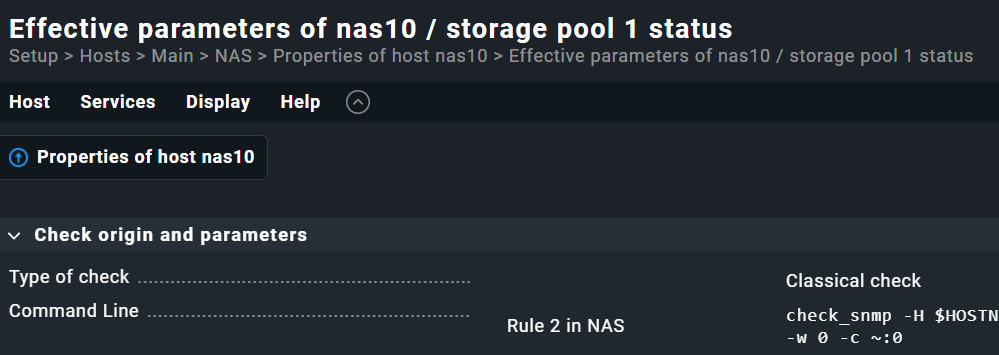
So I click on the “Parameter for this service” icon, I end up on this page:
Properties of host xxx > Effective parameters of xxx / service yyy
and I see:
[Type of check]: Classical check
So still no explicit clue if it’s an active or passive check.
And to make things much worse, on the same page there are links to directly access all rule sets for both active and passive checks, regardless of the actual check type the page was open from.
E.g.
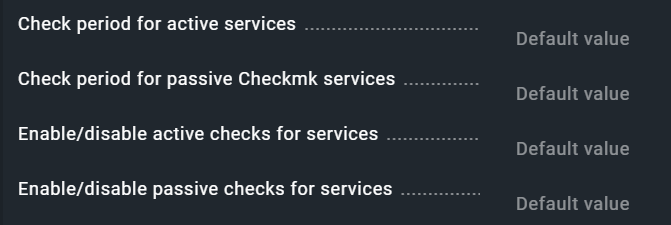
[Check period for active services]: Default value
[Check period for passive Checkmk services]: Default value
[Enable/disable active checks for services]: Default value
[Enable/disable passive checks for services]: Default value
Btw, the simplifications discussed in this topic would solve this issue of having to know if a check is active or passive when working on rules.


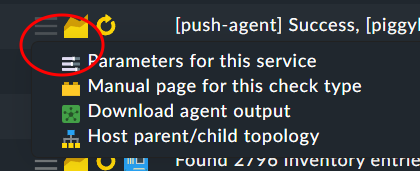
 top one is a active check - bottom is passive check