Thanks for the suggestion I never knew about this area. But it doesn’t appear to have resolved the issue.
I have copied this file into the SQL server plugin directories, re-registered the host, re-discovered the services and re-scanned. But still the SQL server is only showing 68 services instead of over 600 that it did previously.
It says: “Login failed for user”, in that error.
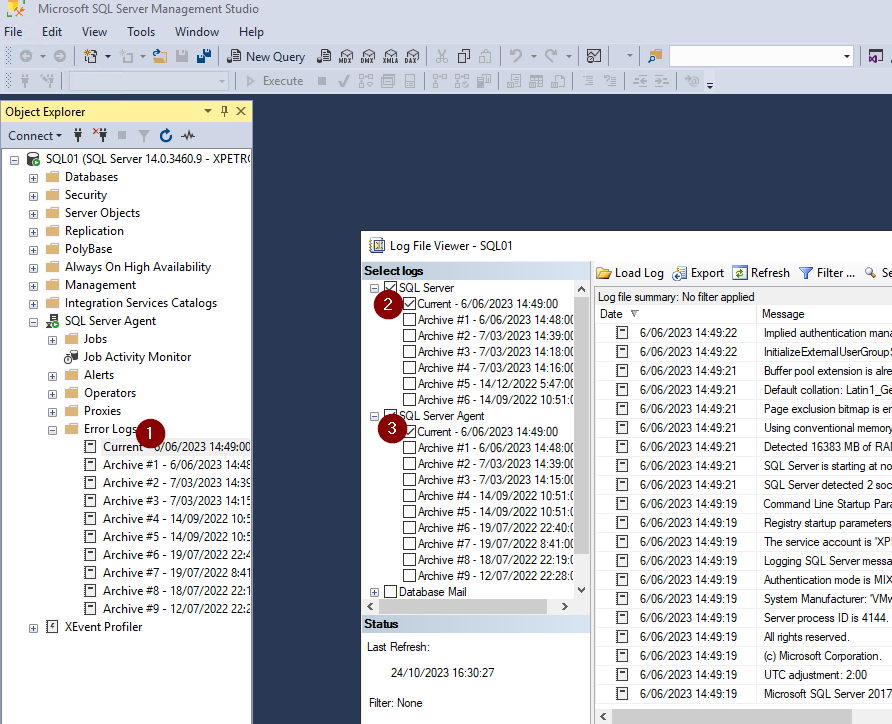
Can you check your SQL agent logs that there are also failed login attempts?
Make sure the user trying to login has the appropriate rights on the SQL server itself (not OS)
Where can I check or find this information sorry? So the MSI used for these SQL servers have been baked with the SA user credentials.
Must I manually enter these into the mssql.vbs file itself? I wouldn’t have thought that was required?
The missing ‘services’ which were over 600 were all the SQL Databases backup times, log files etc. that checkmk was originally bringing back
Authentication shouldn’t be an issue then for CheckMK
try looking in the SQL server logs to find issues regarding the mssql.vbs or anything to do with logins that fail.
It seems to me that that is the issue, somehow (I don’t know how exactly) it is trying to login with wrong credentials and thus not getting any data back.
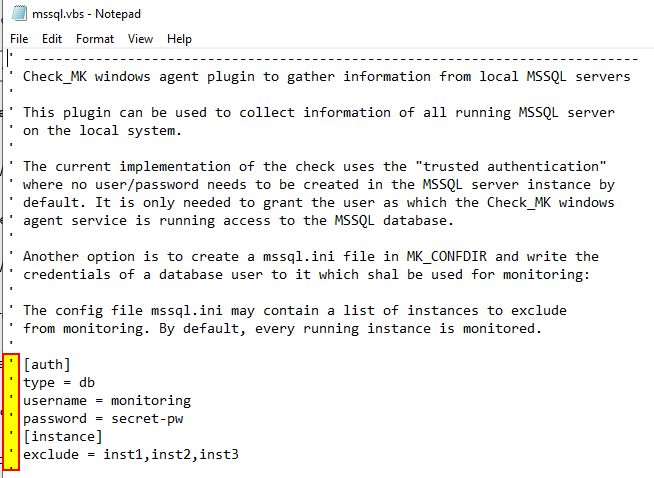
Can you make sure in the mssql.vbs, the authentication fields are commented out:
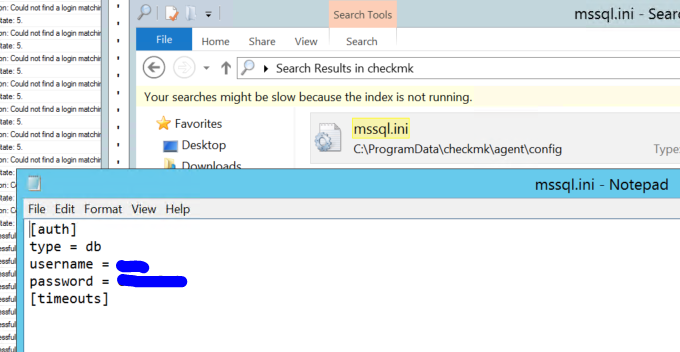
Can you also make sure there is NO mssql.ini anywhere on your SQL server that the checkMK client is reading?
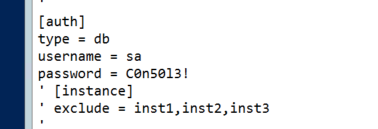
Yes they are commented out and yes there is a mssql.ini file with the correct SA credentials in the backed MSI that I tested I can login to management studio with successfully:
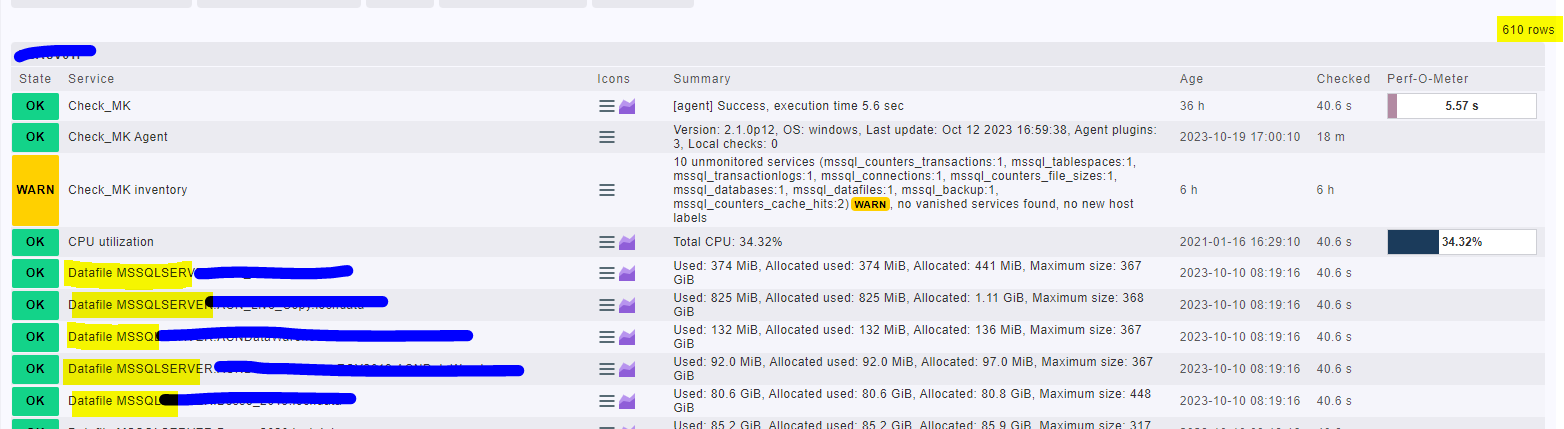
We have another SQL server that is still showing over 600 returned items (see below).
This also though is showing the same login user failed when running the mssql.vbs file, so therefore that must be a red herring here.
The server that it’s working on is also on agent 2.1.
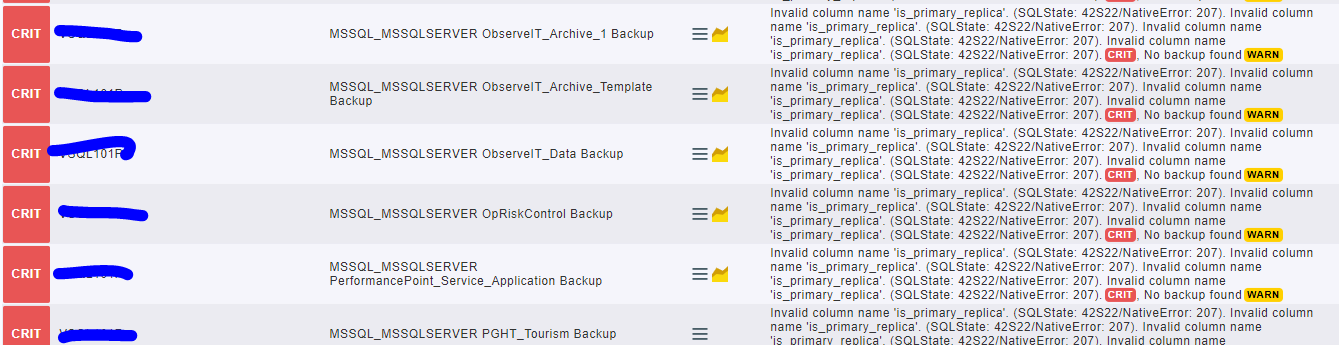
Example of working one with 610 items and examples of some of these that isn’t coming back on these other two:
This topic was automatically closed 365 days after the last reply. New replies are no longer allowed. Contact an admin if you think this should be re-opened.