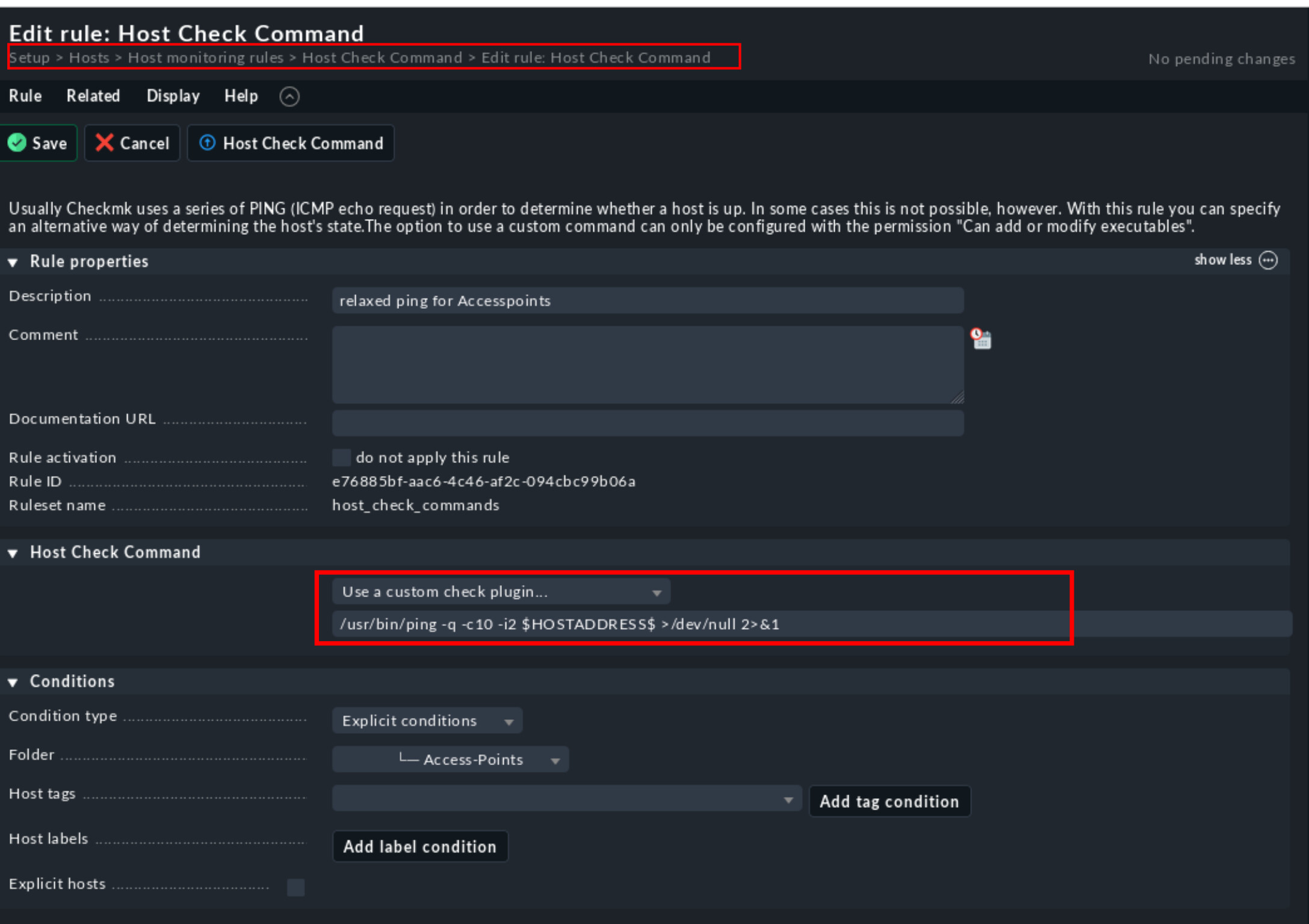
at different locations I had the issue with some accesspoints that sometimes got ping timeouts. That seemed pretty normal, so I just do not want that to be visible in the webinterface for those devices.
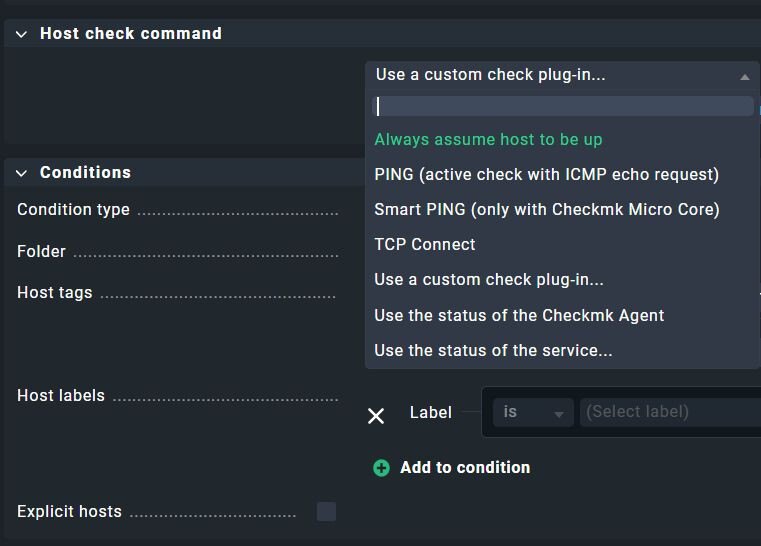
To make ping check a bit more relaxed for those specific hosts, I configured the following host_check_command for those devices:
The reason why I didn’t use it, is, that the ICMP rule does not allow to set an interval between the ping packages.
From the online help of the option “number of packages”:
Number ICMP echo request packets to send to the target host on each check execution. All packets are sent directly on check execution. Afterwards the check waits for the incoming packets.
So that’s not, what I want. If a device has a short network disconnection (some seconds), all ping packages may be lost and the device will be shown as not reachable. The accesspoints show exactly this type of symptom and after not beeing able to eliminate the cause, the situation is fully ok and check-mk report those devices as unreachable.
My variant checks over a period of 20 seconds (or more).
You can then use the icmp-ping as an active check.
Checkmk normally ping the host every 6th second (iirc) so you can play around with how many unsuccessful checks you need before the state changes. in your case 4 unsuccesful attempts could rigger an WARN as an example, and 10 unsuccessful could trigger CRIT
Above all: My workaround works fine for me and I posted my solution for others who may face the same issue.
I like to have that easier, but the two answers you posted do not provide a (cleaner) solution to the problem I experienced.
Specifically: Yes, normal check interval for (host) ping check is 60 seconds (i assume 6th second is a typo). But what you point out is the number of unsuccessful checks, bevore a hard state (WARN or CRIT) is set. That’s not what is interesting me. My concern is, that I even don’t want to see a first yellow or red entry within the web gui unless a longer timeout happens. I do not care if some pings are lost. I only care about timeouts longer than x seconds (at the moment 20 seconds).
The main issue is, that there is a pool of accesspoints and I just want to stop the web-GUI from constantly bringing up Yellow and Red Warning Rows, whenever an accesspoint is unreachable for some seconds.
Here’s a script, that executes multiple ping with wait times in between and returns immediately after one successful response had been received. This needs lua to be installed. lua is a scripting language with very low resource footprint - which is important for a monitoring server which does a high number of executions.
#!/usr/bin/env lua

-- ping_host_icmp.lua
-- Lua Script to ping a host using ICMP packets

local function ping(host)
    -- Execute the ping command
    local handle = io.popen("ping -c 1 -W 1 " .. host .. " 2>&1")
    local result = handle:read("*a")
    handle:close()

    -- Check if the ping was successful
    return result:find("1 received") ~= nil
end

-- Parse command line arguments
local host = arg[1]
local max_pings = tonumber(arg[2]) or 20
local wait_time = tonumber(arg[3]) or 1

if not host then
    print("Usage: "..arg[0].." <hostname/IP> [max_pings] [wait_time]")
    os.exit(1)
end

-- Main loop to perform pings
for i = 1, max_pings do
    if ping(host) then
        os.exit(0) -- Exit with success
    end
    os.execute("sleep " .. wait_time) -- Wait before next attempt
end

-- If we reach here, max pings have been attempted unsuccessfully
os.exit(1)
RAM usage comparison between scripting languages for this program:
This topic was automatically closed 365 days after the last reply. New replies are no longer allowed. Contact an admin if you think this should be re-opened.